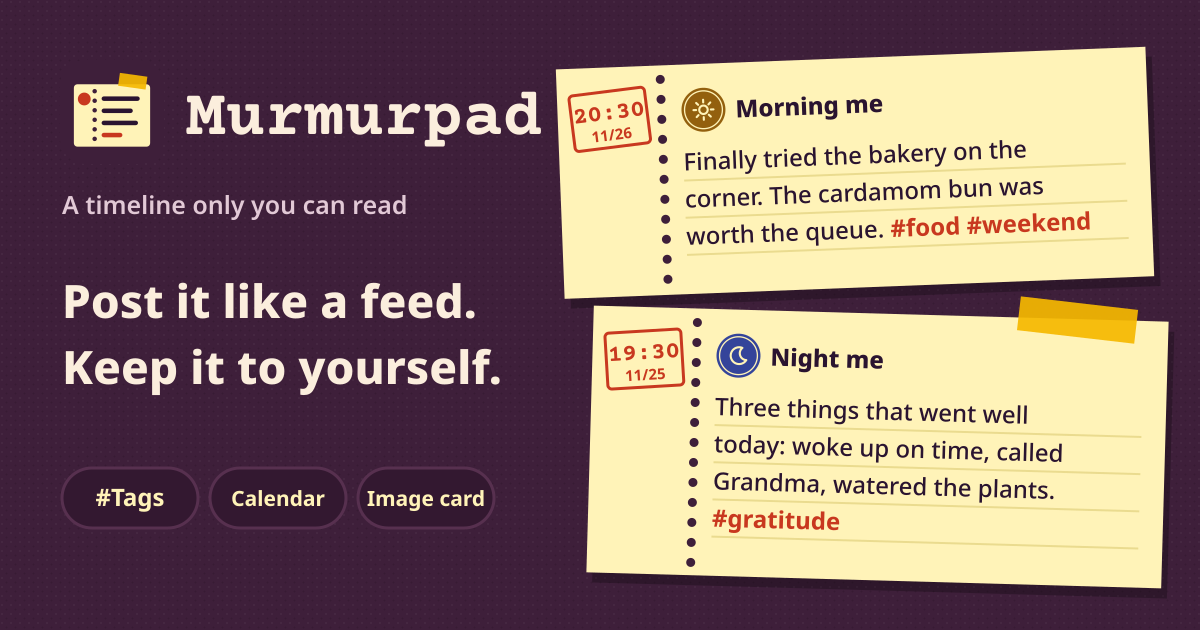
What Murmurpad is
Murmurpad is a microjournal only you can read. You write short posts the way you would on social media, and they pile up on a timeline like memo slips, but nothing is published and nobody else reads them. It has personas, #hashtags, search, replies under your own posts, likes and pins and a calendar, and you can save any single post as an image card. Posts, personas and photos stay on this device. There is no account, it is free, and nothing is locked behind a payment.
Moodpad logs a mood score with one tap a day, and Ondaypad gathers notes written on the same date across the years; Murmurpad is a free-text timeline you add to whenever something comes to mind, sorted by personas, grouped by hashtags and turned into image cards. Some things it leaves out on purpose: no followers, no feed, no public profile and no sync with other devices.
To look around first, press “Show sample posts” on the empty timeline or on the “More” tab. Sample posts in your language appear, clearly marked “Sample”. “Remove the sample” takes them out in one tap, and they never go into a backup or a text copy.
Write a short post, with photos if you like
Type in the slip at the top of the timeline and press “Jot down”; on a computer Ctrl+Enter does the same. In practice there is no length limit: past 500 characters a gentle hint appears but the post saves as it is, an image card shows about the first 400 characters, and only a technical guard stops at 10,000.
“Add photos” puts up to 4 photos on a post. Each one is shrunk on this device to 1280 px on the long side and made anew, so no hidden place, camera or time data is kept, and the original file is not stored. Files over 40 MB are refused. HEIC pictures open in Safari but not in some other browsers; there, pick a JPEG or set the camera to the compatible format.
Personas for the different sides of you
Make as many personas as you like. Each has a name (up to 40 characters) and a round stamp: its initial or one of 12 drawn glyphs, in one of 8 inks, or a photo instead. Press “New persona” on the “More” tab, and new posts are written as it from then on.
To switch who is writing, tap the stamp in the composer and pick under “Choose who is writing”. The persona chips above the timeline show only that persona’s posts. Names and stamps can be changed at any time. Deleting a persona moves its posts to the one you pick under “Move its posts to”, and “Undo” brings it back right after. The last persona can’t be deleted.
#Hashtags and search
Write # and a word in any post to tag it, in any script: #ideas, #推し活, #Gedanken, and the full-width # works too. A # followed only by digits is not a tag. Tags that differ only in capitals or in full and half width count as one. The “Tags” tab lists them by how often you use them; tap a tag to filter the timeline.
In “Search your posts”, every word you type must appear. It ignores capitals and full or half width, katakana finds hiragana, and the persona name counts too. In Japanese and Korean it finds part of a word without spaces.
Replies under your own post
Press “Reply” on a post to add to it underneath, handy for a later thought or how the story went on. Replies go one level deep, so a reply to a reply lands under the same post. Deleting a post deletes the replies under it as well, and “Undo” brings them all back right after.
Like and pin
“Like” puts a small stamp on the slip, and the “Liked” filter above the timeline shows only the posts you liked. A post that is not a reply can be kept at the top with “Pin to top”, held there by a strip of tape.
A calendar of your posting days
The “Calendar” tab shows a month as a grid, and the more you wrote on a day, the darker it gets. Tap a day to read what you wrote then. The week starts on Sunday in English, Korean and Japanese, and on Monday in German.
Save a post as an image card
Choose “Image card” on a post, and a 1080×1350 PNG with the persona stamp and name, the text with its hashtags, the first photo if you like and the date is made on this device. Under “Card look” pick “Memo slip”, “Night ink”, “White paper” or “Mint”, and switch the photo, date and hashtags on or off. It is Murmurpad’s own card and does not imitate any social network’s screen.
“Save picture” downloads a file on computers and Android; where the browser can share files, “Share” opens your device’s share sheet. On iPhone and iPad the picture opens full size: touch and hold it, then choose “Save to Photos”. The card goes only where you save or send it; Murmurpad publishes nothing.
Free backup, restore and a text copy
“Backup” on the “More” tab is always free, with no limit on how often or how big. “Save backup with photos” puts every post, persona and photo into one ZIP file; “Without photos” saves a small file instead. “Restore a backup” checks the whole file before anything changes, then lets you choose “Add what is missing”, which keeps everything you have, so adding the same file twice changes nothing, or “Replace everything”, which you can undo right after.
After 20 changes or 14 days without a backup a reminder appears; “Later” quiets it for 3 days. For a copy you can read anywhere, press “Save as Markdown” or “Save as plain text”: all posts newest first, with dates, personas and replies. Photos are not included.
Edit, delete and undo
“Edit” lets you change a post’s text and photos, and the slip then says “edited”. A post removed with “Delete” comes back with the “Undo” that appears right after. “Delete everything”, on the “More” tab, removes every post, persona and photo at once, and can be undone right after too.
Privacy: everything stays on this device
Posts, personas, photos and settings are kept only in this browser on this device; nothing is posted and nothing is uploaded. There is no account and no login, and no followers, feed or sync. It is free with no plan that caps your posts or backups, and there are no ads in the tool. It never asks for the camera, microphone or location, and reads only the photos you pick.
After the first visit Murmurpad opens offline, and you can add it to your home screen to open it like an app. Clearing this browser’s data deletes your timeline, so press “Save backup with photos” now and then and keep the file somewhere else.
Can anyone else see my posts?
No. Murmurpad has no way to publish at all, and no followers or public profile. Your posts are only on this device, and an image card or a backup file leaves it only when you save or share it yourself.
Is there a limit on personas or backups?
No. Make as many personas as you like, and backups, photos included, are always free and as frequent as you want. There is no paid plan.
How do I save a card on iPhone?
Open “Image card” on the post and press “Save picture”; the picture opens full size. Touch and hold it, then choose “Save to Photos”. Where Safari can share files, “Share” works as well.
Can I move my timeline to a new phone?
Yes. On the old phone press “Save backup with photos”, send the ZIP file to the new phone, then press “Restore a backup” there and pick the file. Posts, personas and photos all come along. There is no automatic sync.