Why “did I lock the door?” happens, and the habit that stops it
You did lock the door. The reason you cannot remember it is that locking a door is an action you have performed thousands of times, and the brain files routine actions without a timestamp. What you are searching for on the train is the memory of this morning’s turn of the key, and it was never stored separately from yesterday’s. The doubt is not a memory failure; it is the normal result of doing something on autopilot.
The fix is to break the autopilot for one second at the moment it matters. Say it out loud — “door locked, 7:42” — or touch the handle after turning the key, or look at the lock and count to two. Any of these adds a distinct event to the routine, and a distinct event is something you can recall an hour later. People who talk to themselves at the front door are not eccentric; they are using the only method that reliably works.
Keep the checks few and fixed: door, gas, the one appliance you actually worry about. A list of fifteen turns back into a routine you rush through. And check in the same order every day, ending at the door, so that the last thing you do before leaving is the thing you most want to remember.
Tapping a row as you leave
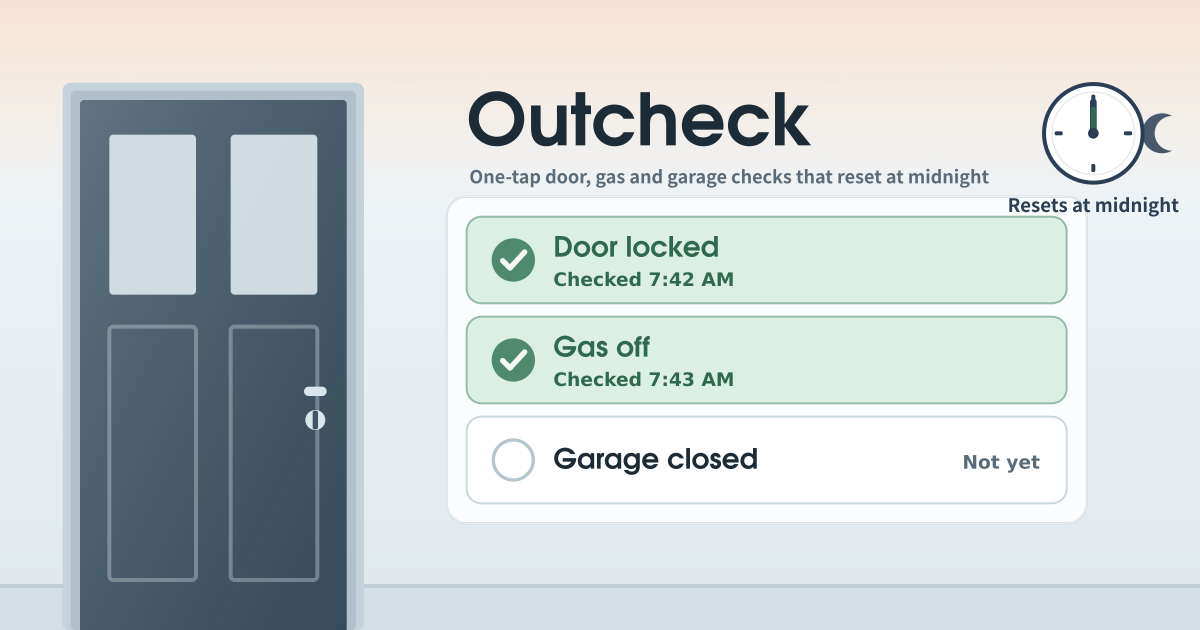
Outcheck is for the “did I lock the door? did I turn off the gas?” moment that hits you on the train. On first open it shows three rows: Door locked, Gas off, Garage closed. Tap a row on your way out and it keeps the time, like “Checked 7:42 AM”.
Lock the door, then tap the “Door locked” row. It turns green and shows the time. On phones that support it, you feel a short buzz. Tapped by mistake? Tap the same row again to undo.
Gas and garage work the same way. No garage at your place? Tap the pencil to rename or remove that row. Add what you do need with “Add item”. Open the app again later today and the times are still there.
Rows, the pencil and the green band
- The “Before you leave today” card: the big check rows, the “Resets at midnight” note, and how many are checked.
- The pencil at the end of each row: rename, move up or down, remove.
- The “Add item” button: add rows like windows, iron, or balcony door, as many as you want.
- When every row is checked, a quiet green band says “All clear”. No popup.
- You can export the checklist as a JSON file and import that file back.
What happens at midnight
Once this device’s clock passes midnight, every check clears. It clears even if the tab was left open overnight, and it is already clear when you open it the next morning. Item names and order stay as they were, so yesterday’s tap never looks like today’s.
Where the checks stay
The item list and today’s check times stay on this device only; there is no account, no sync and no backup, and nothing is sent anywhere. On a shared device, clear the site data in your browser when you are done. To carry the list to another phone, export it as JSON and import that file there.
Does it actually lock the door?
No. It does not connect to smart locks or sensors. It only records that you checked with your own thumb. Locking and switching off is still on you.
What if I check at 11:50 pm and leave after midnight?
That check clears at midnight, because the reset follows this device’s clock and not the time of the tap. If you are heading out after a late shift, tap the row again at the door. A check is meant to record the moment you actually locked up, so tapping just before you leave is the right habit anyway.