Choosing interval lengths, and when a timer does more harm than good
The numbers people copy into a timer are not magic. Tabata’s 20 seconds on, 10 off, eight rounds came from one study of trained cyclists at near-maximal effort; for a beginner doing burpees, 30/30 or 40/20 gives the same structure with enough rest to keep form. The useful rule: the work interval should end just before your form starts to fall apart, and the rest should be long enough that the next round looks like the last one. If round six is visibly slower than round two, lengthen the rest or shorten the work.
Focus work runs on the same logic. Twenty-five minutes suits tasks you dread, because the end is always in sight. Work you enjoy usually wants 50 or 90 minutes, since being cut off mid-thought costs more than a late break saves. Make the break a real one: stand up, look out of a window, refill the water. Five minutes of scrolling is not rest for the part of you that got tired.
A visible countdown changes behaviour because it turns “a while” into a number: it stops you quitting early, and it stops you overdoing it. It hurts when the number becomes the point. Cooking by the timer instead of by the smell, or pushing through a sharp pain because 40 seconds are not up yet, are the clock winning over the thing it was meant to serve. When the task gives clear signals of its own, watch the task, not the clock.
Four modes on one big clock
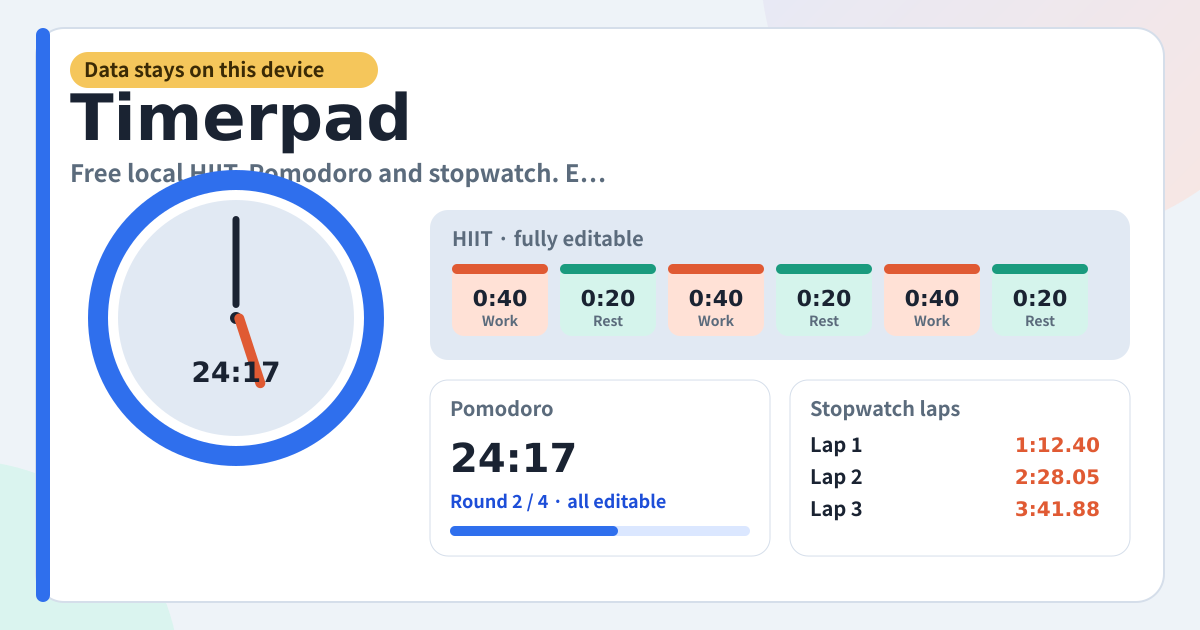
Timerpad is a small timer that puts workout intervals, focus Pomodoros and a plain stopwatch on one screen. The tabs at the top switch countdown, Pomodoro, intervals and stopwatch, and the big digits follow. Common starting points like Tabata 20/10 or Pomodoro 25/5 are there, but work seconds, rest seconds and the round count are all yours to change. It is not a rigid-preset-only app.
Start, pause, stop and reset stay available in the middle of a workout. Nothing inserts an ad in the middle, and there is no paywall around the core timers. Cue tones are short and do not take over the music you were already playing. If you send the tab behind another app it keeps counting as much as the browser allows, and the digits snap to real elapsed time when you come back.
For a countdown, set hours, minutes and seconds and press Start. For Pomodoro, edit work, rest, long-rest seconds, the round count and how often a long break lands, then start. For intervals, load Tabata 20/10 or HIIT 40/20 and then add a step, change its seconds or give it a name. The stopwatch only needs Start and Lap.
When a mix feels right, type a routine name and press Save. Load later to come back to the same numbers. Export JSON writes a file into this device’s downloads folder; Import puts those routines and settings back. Delete everything returns you to the starter presets.
Tabs, the big clock, editors and settings
- The amber strip at the top: a note that your data stays on this device. Nothing is sent to a server.
- Mode tabs: Countdown, Pomodoro, Intervals, Stopwatch.
- The big clock: time left (elapsed on the stopwatch), the current phase (work or rest), and round n of the total.
- Controls: Start, Pause, Resume, Stop, Reset, Skip interval, Lap. Stop and Reset never lock mid-workout.
- Editors: hours / minutes / seconds, Pomodoro work / rest / long rest / rounds, and each interval’s kind, seconds, optional name and the round count.
- Routines: save the setup you are looking at under a name, then load or delete it later.
- Settings: sound on/off, keep-screen-on, fullscreen, text size, JSON export / import, delete everything.
Where your routines stay
Saved routines, settings and the numbers you last set stay in this browser on this device. There is no account, no sync and nothing is sent to a server, so on a shared device clear the site data when you are done. To carry routines to another phone, export a JSON file and import it there; Delete everything in Settings wipes them and brings back the starter presets.
Do I have to keep the Tabata numbers?
No. Load them as a starting point, then change every second and every step, add or remove steps, and save the result under a routine name so it comes back the same next time.
Does it keep ticking while I use another app?
As much as the browser allows, and the digits snap to real elapsed time when you come back, so a round that ended while you were away is counted as ended. For a workout, turn on keep-screen-on in Settings so the phone does not dim and lock partway through a set.
Will it cut off the music I am playing?
No. Only short cue tones play, and they do not take over the music you already had running. If you want no sound at all, switch it off in Settings and go by the phase label and the round count instead.