Three kinds of notes, and why one app for all of them makes a pile
Almost everything we jot down falls into one of three kinds. The first is the act-now note: a phone number someone is reading out, the floor you parked on, the one line from a meeting you need to repeat to a colleague before lunch. It is useful for an hour or a day, and then it is finished. The second is the reference note: the Wi-Fi password for the office, the model number of your printer, the dosage on a prescription label. You do not need it often, but when you do, it must be exactly where you left it. The third is the archive note: a journal entry, a draft you may return to next year, anything you would be sorry to lose.
The trouble starts when all three go into the same place. A notes app has no way to tell that the parking level from March is worthless and the printer model is not, so it keeps both forever. After a few months the act-now notes outnumber everything else ten to one, and the reference notes you actually need are buried under a heap of digits and half-sentences. People then respond either by not writing things down at all, or by spending a weekend deleting, which they do once and never again.
The fix is not a better search box. It is to give act-now notes a place that throws them away by itself, so that the app you keep for reference and archive material only ever receives things that deserve to stay. Separating by lifespan, rather than by subject, is what keeps the pile from forming in the first place.
What belongs on a disposable pad — and what never should
A disposable pad is for anything whose value expires on its own. If you would not mind finding it gone tomorrow, it belongs here. If losing it would cost you money, time, or a legal argument, it does not, no matter how convenient the empty page looks. The list below covers what usually fits, and what never does.
- Phone numbers and names taken down during a call, before you move them into contacts or forget them on purpose.
- Where you parked, the locker number, the table number at a restaurant, the gate for a flight that leaves in three hours.
- A one-line reminder for later today: bring the charger, reply to Sam, buy milk.
- A draft message you want to read once more before sending, then never look at again.
- Meeting scraps: an action item you will move into your task list tonight, a figure someone quoted that you want to check.
- Never a password, PIN, or recovery code. The pad is an unlocked page anyone holding the device can read, and it will delete itself at the exact moment you need to log in.
- Never receipts, invoices, warranty details, or anything with a tax or legal life. Those have retention periods measured in years, not hours.
- Never the only copy of something you promised to someone else. The promise outlives the timer.
Choosing an expiry window: an hour, a day, or a week
The right lifetime for a disposable note is slightly longer than the job it serves. A number you are about to dial needs an hour. A parking spot needs until you leave the building, so six hours covers a workday and 24 covers an overnight stay. A packing list needs the length of the trip, which is where 48 hours and seven days come in. Choose the shortest window that gets you past the moment you will use the note, and let the default handle the rest. For most people that default is a day, because a day is long enough for “later today” and short enough that nothing from last week survives.
Two rules make this workable. First, the clock should restart every time you edit. A note you are still touching is a note you still need, and it should not vanish mid-thought because it was created yesterday. The moment you stop editing, the countdown begins again from the full window. Second, there should be no undo. That sounds harsh, but an undo button is a promise that nothing is really gone, and the whole point of the pad is that things are really gone. Knowing that, you stop treating it as storage and start treating it as a whiteboard, which is what changes the habit.
If you find yourself restarting the same note’s timer for the third time, that is the signal: it is not an act-now note any more. Move it out.
A ten-second triage before a note expires
Once or twice a day, glance at what is about to expire. Most of it should be allowed to go; that is the pad doing its job. For the rare keeper, ask three questions: will I need this after next week, would I be annoyed to search for it again, and does it belong to a place I already have. If the answer to the first two is yes, copy the note into that place now, not later — contacts for a number, the calendar for a date, your task list for an action, your reference notes for a fact — and then trash the original so the same text does not sit in two apps.
- Copy out, then trash. Never leave a keeper on the pad ‘just in case’; two copies drift apart.
- Move it to the app that will be searched for it, not the one that happens to be open. A phone number lives in contacts even if you would rather not open contacts.
- If nothing you have is the right home, that is usually a sign you do not really need to keep it.
- Do not extend a timer to avoid deciding. Restarting is fine for a note still in use; it is not a substitute for triage.
Timers and trashing in Trashpad
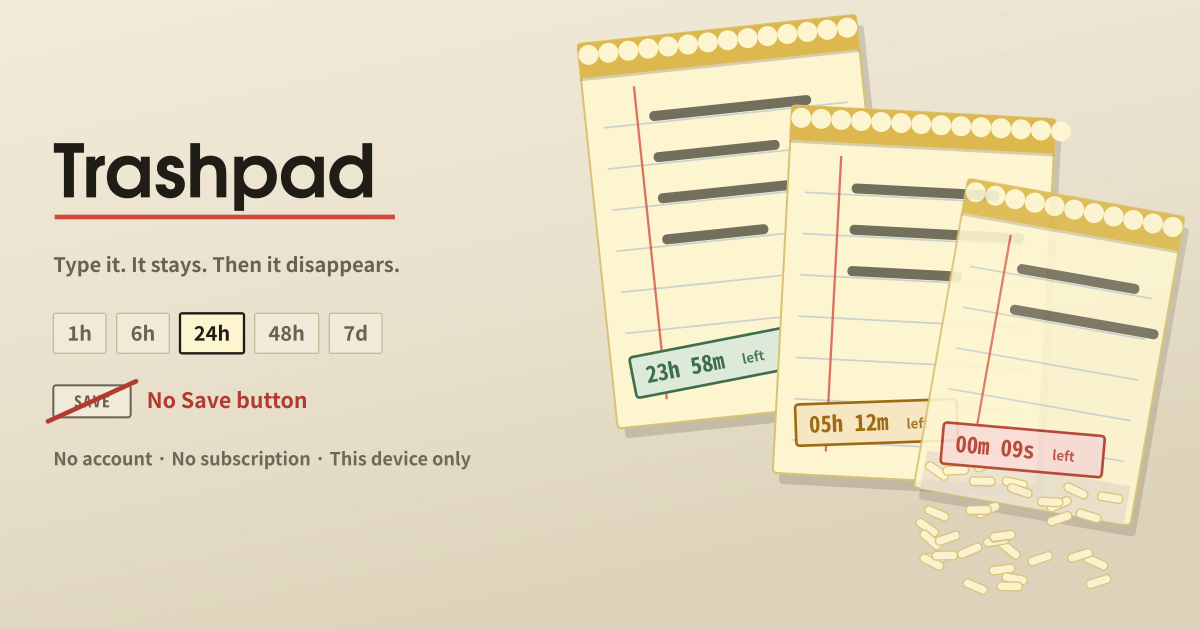
Trashpad is the disposable pad described above, made into a small browser app. Open it and a blank sheet is waiting; whatever you type is kept as you type it, with no Save button anywhere, and each note is deleted on its own timer counted from your last edit.
- Timers: 1 hour, 6 hours, 24 hours, 48 hours, or 7 days. The default for new notes is 24 hours and is changed on the first screen, not in a settings page.
- Every note can carry its own timer; the time left is stamped on the note, with one button to restart it.
- Any edit restarts the clock from the full window.
- ‘New note’ adds another sheet; ‘Trash it now’ deletes one without waiting.
- Expired notes are removed when the app opens and while it stays open. There is no archive, no trash can, and no undo.
Where your notes stay
Everything you write stays in the browser on the device you wrote it on. There is no account, no sync, and no copy on a server, so a note cannot be read from another device or brought back after its timer runs out. On a shared computer, clear the site’s data when you are done.
Is it safe to jot a one-time code here?
Usually not the best place. A one-time code is a credential, and the pad is an unlocked page: anyone holding the device can read it until it expires, and with a short timer it may be gone before you enter it. Type the code straight into the field that asked for it. If you must note it, use the 1-hour timer and trash the note as soon as you are in.
What if I need a note longer than seven days?
Then it is not a disposable note. Seven days is the longest window on purpose: a fact you still need after a week is reference material and belongs in contacts, your calendar, your task list, or a notes app that keeps things. Copy it there and let the original expire.
Why is there no undo?
Because an undo button would turn the pad back into storage. If nothing is ever really gone, you stop deciding what matters and the pile comes back. The safeguards are the timer itself: the clock restarts on every edit, the remaining time is visible on each note, and a note you still care about can be moved out before it goes.