What Catchpad is
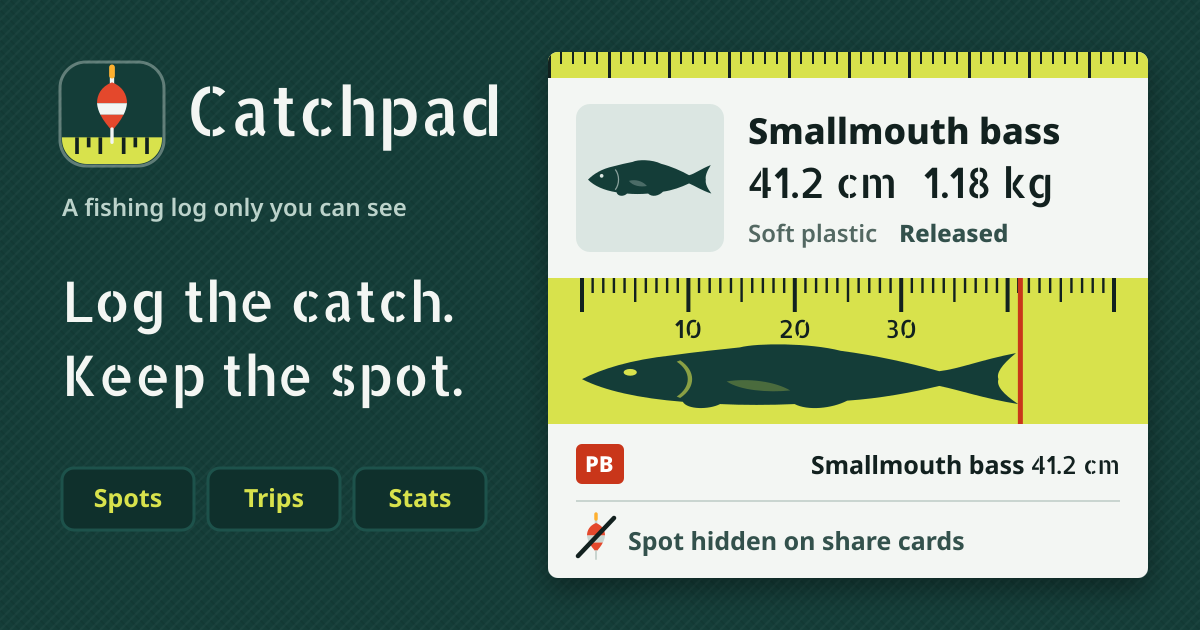
Catchpad is a fishing log only you can see. Each fish is one record: a photo, the species, length and weight, the bait or lure, the method, kept or released, the spot, the conditions and a note. Later it shows your personal bests and which baits, spots and hours work for you. Catches, photos, spots and trips stay on this device and nothing is posted. There is no account, it is free, and nothing is locked behind a payment.
A place diary such as Memomap pins the places you have been with a line and a photo; Catchpad keeps a measured record of each fish and adds them up by species, bait and hour. Some things it leaves out on purpose: no feed, no followers, no public spots, no tide tables and no bite forecast.
To look around first, press “Show a sample log” on the empty log or in the settings. It adds five made-up catches, two spots and two trips, one of them blank, all marked “Sample”. “Remove the sample” takes it out in one tap; it is never exported, and it stops counting in the stats once you have records of your own.
Add a catch from a photo
Press “Catch from a photo” and pick the picture of your fish. Its date and place are read from the photo on this device and filled in. The stored copy is shrunk and made anew, so it carries neither, and the original file is not kept. If the place is within 250 m of one of your spots, the catch is filed there.
If the photo has no date, the form uses this device’s time, which you can change. Your place is never asked for by itself: tap “Use my location” while you stand there, or “Pick on the map” later. “Without a photo” opens the same form with the current time.
Some phones strip the place when a web page picks a photo. On iPhone, look under Options in the photo picker and keep the location on; on phones that always strip it, set the place by hand. HEIC pictures open in Safari, but many other browsers cannot show them: pick a JPEG, set the camera to the compatible format, or save the catch without the photo. The date and place are still read from the file when it carries them.
Species, size, bait and notes
“Species” is free text: type any name, pick a suggestion or tap one you used recently. The star makes a name a favourite, and favourites come first. “Length” is in cm or inches and “Weight” in kg or lb, as chosen under “Units” in the settings. “Bait or lure” and “Method” also offer what you used before as buttons.
Choose “Released” or “Kept”, and write anything under “Notes”. Only the date and time are needed; the rest can stay empty. If the phone closes the page while you are writing, the unfinished catch is still there.
Your own spots on a map
You make every spot yourself; there is no preset list that forces you to a place miles away. On the “Spots” tab, tap anywhere on the map or press “Drop a pin in the middle”, or “Spot at my location” while you stand there. In the catch form, “Spot” lists only your own, and “New spot…” pins one at the photo’s place, your current location or the place you picked on the map.
Open a spot to rename it, to move its pin with “Pick on the map” or “Use my location”, or to see its catches. If you made the same place twice, choose the one to keep under “Merge into another spot”: its catches and trips move over and the double disappears, and “Undo” takes it back right after. Deleting a spot keeps its catches.
The map pictures come from OpenStreetMap’s servers, which see the area you look at. Your pins, catches and photos are not sent. Without a connection the pictures cannot load, but your pins and spots keep working.
Weather only if you want it, the moon on the device
Under “Conditions” every value is yours to type: air and water temperature, wind, pressure, waves and “Tide”, a field you fill in yourself because Catchpad looks up no tides. “Moon” shows the phase and how much of it is lit, worked out on this device from the date and time, so it needs no connection.
The weather lookup is off by default. Once you switch on “Look up the weather”, each new catch with a place is looked up once, and only the place rounded to 0.1° (about 11 km) and the date go to Open-Meteo: no exact spot, no species, no photo. “Look up now” asks again.
Air temperature, wind and pressure reach back about 3 months; water temperature and waves exist only at sea, not on rivers and lakes. A failed lookup or a missing connection never blocks saving, and you can change every value it filled in.
Trips, blank days included
On the “Trips” tab, “Start a trip now” notes the start, and new catches are filed under it until you press “End trip”, where you can add the spot and a note. For an earlier day, “Add a past trip” takes the start, the end, the spot and a note.
A trip without a fish stays in the list as “Blank, no catch”. The hours, spot and note of a day when nothing bit help you plan the next one too.
Personal bests and stats
On the “Stats” tab, “Personal bests” lists the longest and the heaviest fish of each species with its date; tap one to open the catch. A new best is announced as you save it. Above it stand the totals: catches, species, released, kept, trips and blank trips.
Below, bars count your catches “By bait or lure”, “By spot”, “By hour of the day” and “By month”. Names that differ only in capitals or extra spaces count as one. Everything is counted from your own log; nobody is ranked.
Search, filter and sort
The search box looks through species, bait, method, spot names, tide and notes. “Filter” narrows the log by species, spot, bait, kept or released and a date range, and “Clear filters” resets it. Sort by newest, oldest, longest, heaviest or species.
CSV and a backup file with photos
Under “Spreadsheet (CSV)” in the settings, “Catches” and “Trips” each save a table that opens in Excel, with headers in your language and values in your units. Coordinates are only in it if you switch on “Include coordinates”.
“Save backup with photos” puts every catch, spot, trip and photo into one ZIP file; “Without photos” saves a small file instead. On another device, “Restore a backup” checks the whole file and its photos first, then lets you choose “Add what is missing”, which keeps everything you have, or “Replace everything”. Adding the same file twice changes nothing, and right after replacing, “Undo” brings your log back.
A share card that hides the spot
Open a catch and press “Share card”: a picture with the photo, species, size, bait and date (no time) is made on this device. “Spot name” and “Coordinates” are off for every card until you switch them on, and the picture carries no hidden place or camera data. The background of a photo can still give a place away, so leave the photo off the card if that worries you.
“Save picture” downloads a file on computers and Android; where the browser supports it, “Share” opens your device’s share sheet. On iPhone and iPad the picture opens large: touch and hold it, then choose “Save to Photos”. The card goes only where you send it; Catchpad never posts it.
Privacy: everything stays on this device
Catches, photos, spots, trips and settings are kept only in this browser on this device; nothing is posted and nothing is uploaded. There is no account and no login, it is free with no plan that caps your log, and there are no ads in the tool. Two features talk to other servers: an open map asks OpenStreetMap for the pictures of the area shown, and the weather lookup, only once you switch it on, sends the rounded place and the date to Open-Meteo. Like any website, both see your IP address. The shared anonymous usage counter never includes a catch, spot or photo.
After the first visit Catchpad opens offline, so it works at the water without a signal, and you can add it to your home screen to open it like an app. Clearing this browser’s data deletes your log, so press “Save backup with photos” now and then and keep the file somewhere else; Catchpad reminds you when entries pile up without a backup.
Are my catches or spots published anywhere?
No. Catchpad has no way to post at all. The log is only on this device, and a share card leaves it only when you save or share it yourself, without spot and coordinates unless you switched them on.
Why was no place read from my photo?
Either the camera was not saving places, the picture came through a messenger, or the phone stripped the place when the web page picked the photo. Tap “Use my location” on the spot, or set it later with “Pick on the map”.
Does it show tide tables?
No. “Tide” is a field you fill in yourself, for example high water, rising or spring tide. The moon phase is worked out on the device, but no tide is predicted from it.
Can I move my log to a new phone?
Yes. On the old phone press “Save backup with photos”, send the ZIP file to the new phone, then press “Restore a backup” there and pick the file. The photos come along.