It started with “I want to know it properly, in numbers” on X
On 17 October 2026, a cat owner wrote on X in Japanese: “ぬこ様の体調管理に簡単でいいアプリないかな~と検索中…トイレや食欲(フードは毎食計ってる)などうちの目視でやってるからもっとちゃんとした数値で把握したい” Roughly: “Searching for a simple app to keep track of my cat’s health… I watch the litter box and appetite by eye at home (I weigh the food at every meal), so I want to know it properly, in numbers.” The wish is clear: the things you already notice every day, written down as numbers, so a change shows up early.
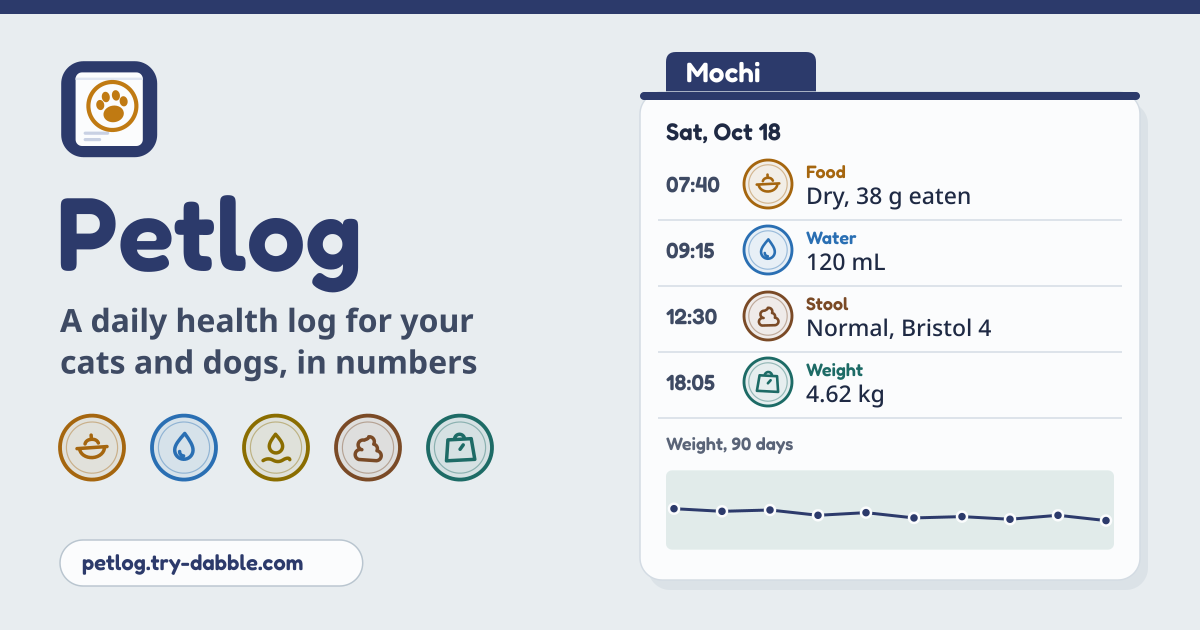
Petlog does just that. Each pet has a “Day” screen full of stamps: one tap on food, water, pee, stool, vomit or weight saves it with the time. The records add up to averages and charts on “Trends”, and before a vet visit they print as a one-page summary. It opens in the browser, works without a connection after the first visit, has no account and no ads in the tool, and the log stays in this browser on this device.
What you find elsewhere
Pet health logs already exist, and each does something well. What was hard to find was a web log that opens with no account and speaks Korean, English, Japanese and German.
- Pawjot: the web version (app.pawjot.app) needs a sign-in, and on the web only the Free plan is available. It comes in English, Japanese, Korean and Traditional Chinese, with no German.
- 11pets: the app and its web portal need an account (email, Google or Apple), and it covers many languages but not Korean; a 2021 review on the Korean App Store calls the app very easy to use and regrets only that it has no Korean.
- PAWLOG.jp and NekoLog: Japanese only, and built around accounts shared with the family.
- Micords: a web app in Japanese, English and Traditional Chinese that you enter only with a Google login, with a paid plan.
- ねこカルテ (Neko Karte, nekonko2.com): a good example of a no-account log kept on the device, but it is Japanese only and centred on vet visits and medicine rather than daily numbers.
What Petlog does
- Under the pet names there are four tabs. “Day” holds the stamps and the day’s records, “Trends” the averages and charts, “Notes” the vet and medication notes, the next dates and expenses, and “Pet & backup” the profile, the vet summary, the sitter sheet, units and backup.
- Keep as many pets as you like. Pick Cat, Dog or Other, give a name, a “Birthday (optional)” and a “Photo (optional)”, and switch between pets with one tap in the list at the top.
- An amber band at the top says it plainly: pets, records and photos live only in this browser on this device, so save a backup file regularly.
How to start
- Open https://petlog.try-dabble.com and pick your language at the top. Nothing to install, nothing to sign up for; add it to your home screen from the browser menu if you like, and it opens like an app.
- The first time, tap “Add your first pet”. A photo picked with “Choose or take a photo” is shrunk on this device before it is kept. This is also where the “Normal weight range (optional)” you agreed with your vet goes. More pets come in with “Add pet” in the list at the top.
- The Guide & Feedback button in the app opens this guide in a new tab.
The Day tab and its stamps
- Under “Log for this day” sit the stamps: Food, Water, Pee, Stool, Vomit, Weight, Energy, Appetite and Symptom. Where you only pick one choice, such as the amount of pee or the energy level, the tap itself saves it at the current time, and “Undo” in the short message takes it back. Every record carries a time, and you can change it later.
- Food: pick Dry, Wet or Treat and enter “Offered” in grams. Weigh what is left later and add “Left over” to the same record, and Petlog works out what was eaten; left empty, all of it counts as eaten.
- Water goes in mL, pee as None, Small, Normal or Large. Stool is Normal, Soft, Diarrhea, Hard or None, with an optional “Bristol scale (optional)” (1 = hard lumps, 4 = smooth and soft, 7 = watery) and a photo if you want one. Vomit is Hairball, Food, Bile or foam, or Other.
- Symptoms are tags you write yourself. Below the box, “Used before” shows the ones you used for that pet and “Common” offers ones like Sneezing, Coughing or Hiding; tap to add them. Energy is Low, Normal or High; Appetite is Not eating, Low, Normal or Hungry.
- Any past day can be filled in, with no lookback limit. Move with “Previous day”, “Next day” or the date picker and “Logging for a past day” shows; “Back to today” returns in one tap. The day’s totals for eaten food, water, pee, stool and vomit sit under the stamps.
Weight, the normal range and the charts
- The Weight stamp takes a weigh-in. With a normal weight range in the profile, a value outside it is marked “Below the normal range” or “Above the normal range”. Ask your vet what the range should be.
- On “Trends” the chart range is “30 days”, “90 days” or “All”. The weight chart shows the normal range as a band, and bars show food eaten per day, water per day, and stool and vomit per day (normal stool apart from soft, diarrhea or hard). Long ranges show one bar per week, averaged per day.
- Below, “How often” counts stool, vomit and symptoms in that range, and the weigh-ins outside the normal range.
Averages over 7, 14 and 30 days
“Daily averages” on “Trends” shows food eaten and water over the last 7, 14 and 30 days. It counts per logged day: days with nothing logged are left out, not counted as zero, and the number of logged days is shown next to it. So a few missed days don’t make the average look like a sudden drop.
The Notes tab: vet visits, medicines and the next date
- “Add vet visit” and “Add medication note” are free notes: what the vet said, test results, a medicine with how much, how often and from when until when, to remember and show at the next visit. Petlog doesn’t track doses or remind you to give them.
- Under “Next vet and vaccine dates”, “Add a date” takes a vet visit, a vaccine or another date, and “Add to calendar (.ics)” makes a file for your phone’s calendar on this device. Petlog runs nothing in the background, so the calendar does the reminding, the day before and an hour before.
- “Expenses (optional)” is there only if you want it: “Add expense” logs vet bills, food, medicine, supplies, grooming, insurance or other costs, and each month shows a total. You can pick the currency for expenses too.
The vet summary printout
- “Vet summary” in “Pet & backup” is one printout for the vet: profile, weight chart, food and water averages, how often stool, vomit and symptoms came up, and your notes. The range is “Last 30 days” or “Choose dates”, with “Add a day-by-day table” if you want it.
- To be honest about it: there is no separate PDF maker. “Print or save as PDF” opens the browser’s print window; print on paper, or choose “Save as PDF” as the printer. On iPhone or iPad, use Share → Print, then save as PDF. The summary is made in this browser and works offline too.
- The foot of the summary says the records were typed in by the owner and are not a diagnosis.
The sitter sheet
“Sitter sheet” holds feeding instructions, notes for the sitter, the vet clinic’s name, phone and address, and your contact. “Save sheet” keeps it, and “Print sitter sheet” puts it on one page, with the next vet date, before you hand over the keys.
Backup, restore and units
- “Save backup (.json)” makes one file on this device with everything in it: pets, records, notes and the photos. Save one now and then, and before you clear the browser or change phones; the time of the last backup is shown.
- “Restore from a file…” reads a Petlog backup, adds what is new and updates what changed; nothing is removed, and reading the same file twice adds no duplicates. “Delete everything” asks first and offers “Save backup first”.
- In “Units”, weight is kg or lb and food is g or oz. Records are stored one way and converted only for display, so switching halfway never mixes up the numbers.
Privacy: your pet’s log never leaves the device
Pets, records, notes, photos and settings are stored only in this browser on this device and are never uploaded or sent anywhere. There is no account and no login. Photos are shrunk on the device and kept inside the records and the backup file; the original picture is not kept. The vet summary and the sitter sheet are made by the browser’s print on the device, .ics and JSON files are made on the device, and a file you restore is read on the device only.
What it does not do
- It does not sync between devices; to share with family or move to another device, save a backup file and restore it there. There are no cloud photos either: pictures live only on the device and inside the backup file.
- There are no background alerts or push notifications. Nothing runs once the page is closed, so put the next vet or vaccine date into your calendar with the .ics file.
- No dose schedule and no medication reminders: a medication note is just a free note. For a checklist with a time for every dose, that is Medpad (made for people’s medicines).
- Not a training log: for a puppy’s basic cues, Puppad is the one. Not a game either: looking after a pet on the screen is PetPlay.
- It does not diagnose. It only flags a weight outside the range you set; it never reads the records for illness or gives advice. If you are worried, call your vet.
Does it work offline?
Yes. It works offline after the first visit: the browser keeps a copy of the app on the device, so it opens without a connection. Logging, charts, printing the vet summary and backups all work offline.
Is there an account or a paid tier?
No. Every feature is free, there is no account, and there is no cap on the number of pets or on how far back you can look. There are no ads in the tool.
How do I move my log to a new phone?
On the old device press “Save backup (.json)” in “Pet & backup”, move the file to the new one and read it with “Restore from a file…”. The photos are inside the file.
Can I keep several pets?
Yes. Each pet has its own records, normal weight range, notes and sitter sheet, and one tap in the list at the top switches between them. Deleting a pet deletes its records too, so save a backup first.
Does it remind me?
Petlog itself sends no reminders, because nothing runs in the background. Press “Add to calendar (.ics)” on the next vet or vaccine date and your phone’s calendar reminds you the day before and an hour before.