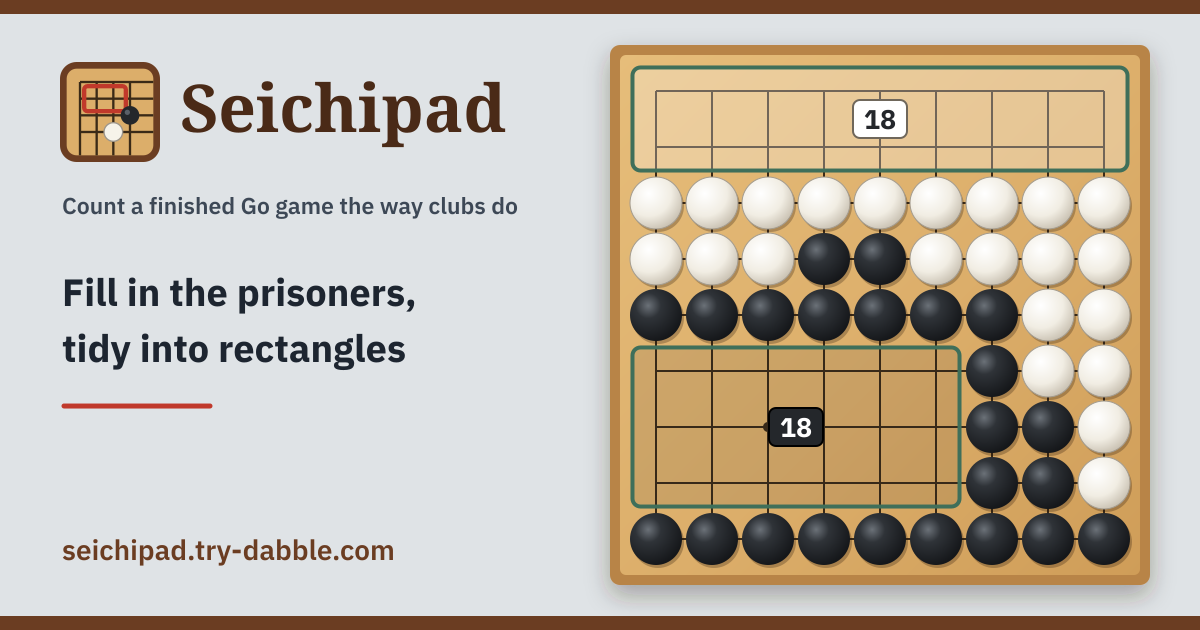
What Seichipad is
Seichipad is a Go counting trainer that runs in your browser. You get a finished 9×9, 13×13 or 19×19 game, take off the dead stones, put the prisoners into the opponent’s territory, move stones until the territories are rectangles, and then say who won and by how much, komi included. After you answer, it shows every number behind the result.
There is nothing to install and no account, it is free, and there are no ads in the tool. It speaks Korean, English, Japanese and German. Every practice position is an original made by Seichipad itself, and your history stays in this browser on this device; nothing is uploaded.
Why counting over the board matters
Online Go counts the territory for you at the end, so many players have never counted a game by hand before a club night or a tournament. Over a real board both players fill in the prisoners and tidy the territories into groups of ten when the count allows; without practice that is slow and easy to get wrong. Seichipad lets you run through those steps on your own as often as you like.
Remove the dead stones and fill in the prisoners
When a position opens, first tap the dead stones. One tap marks the whole connected group, a second tap clears it. “Remove dead stones” checks your marks; if they are not right it says how many dead stones are still unmarked and how many marked ones are alive. If you are stuck, “Show the dead stones” reveals them, and the answer is then saved as hinted.
Under Japanese and Korean rules the dead stones you took off and the stones captured during the game are all prisoners. Each side’s prisoners go into the other side’s territory: the white stones Black captured into White’s territory, the black stones White captured into Black’s, one tap at a time, or “Fill in the rest” places what is left at once. When they are all in, press “Start tidying”. Under Chinese rules prisoners don’t count, so this step is skipped.
Move stones into tidy rectangles
Tap a stone to select it, then tap where it should go, or drag it there. Green dots show where the selected stone may go. A stone can only go into its own colour’s territory, and two touching stones of different colours can be swapped by tapping one and then the other. Either way the change is accepted only when both totals stay the same and every border stays closed; a change that would open a border or change a count is refused with the reason.
The goal is a filled rectangle in every territory, in rows of 5 or 10 when the count allows. On 19×19 the zoom button makes the board big enough to tap exactly. “Undo” goes back one change, “Start over” back to before tidying. If you are stuck, “Show a model tidy-up” draws a faint arrangement with the same counts, and “Use this arrangement” applies it.
Reading the feedback
Tags such as B1 and W2 on the board match the territories in the list. When every territory is easy to count, it says so. The counts stay hidden until you answer; “Show the counts” turns them on while you practise (saved as a hint).
- Green: a filled rectangle and a multiple of 5 or 10; in tens it is perfect.
- Yellow: a rectangle whose count is not a multiple of 5 (good: rows of 5 can’t work for that count), or a rectangle with one short row, which is almost there; both are easy to count.
- Red: a bumpy shape, or an open or ambiguous border that touches both colours.
Answering: who wins, the margin, komi and rules
Choose how to answer in “Settings”. “Who wins” asks for Black or White (and a draw when the komi is a whole number), “Margin, 4 choices” offers four margins, and “Exact margin” has you enter the winner and the points yourself. Pick a choice by tapping it or with the keys 1–4.
“Komi” is 6.5, 7.5 or 0.5, or “Custom” in steps of 0.5. For the rules choose “Japanese / Korean (territory)” (territory + prisoners) or “Chinese (area)” (stones on the board + territory). The two differ only by the extra move Black played, so they mostly agree, but with komi a half point can change the winner. After you answer you see the result, your answer, an explanation step by step from the prisoners to the difference after komi, and the count of every territory.
Timer and history
“Timer” is 1 minute, 3 minutes or untimed. When time runs out the attempt is saved as timed out and the result and explanation appear, but the board stays so you can finish tidying. “History” shows your accuracy per board size, the puzzles solved within target and your recent answers, and every cell of the position list shows how often you got that position right.
The “Puzzles” tab holds short drills: make Black’s corner territory one filled rectangle within a target number of moves.
Counting your own game
Under the “My games” tab press “Count my own game”, then paste your game’s SGF in “Paste SGF” or open an .sgf file. The moves are replayed, so the prisoners come from the record itself. No record? Use “Place stones” to set up the final board, enter each side’s prisoners and press “Done: mark the dead stones”. Mark the dead stones and count it in the same steps as a practice position. If your game has a seki, the eyes inside it count as territory here.
Go terms in four languages
Seichipad uses each language’s own Go words: 整地 (seichi) and アゲハマ (agehama) in Japanese, gyega and saseok in Korean, counting and prisoners in English, Auszählen and Gefangene in German. “How it works” has a table of terms such as komi, draw and neutral point side by side in all four languages, handy at a club abroad or online.
Privacy: your history stays on this device
Practice positions and puzzles are generated inside the app from a number, so nothing is fetched from the internet. Your answers, own games and settings are stored only in this browser on this device and never uploaded. To keep them or move them to another device, use “Save backup file” in “History”, and on the other device “Restore from a file…”.
Seichipad or Omok?
Omok (Gomoku) is a game you play: the first to get five in a row wins. Seichipad is not for playing Go at all; it trains counting a Go game that is already over. They only share the stones and the board.
Are the positions taken from books or other apps?
No. Every position is an original that Seichipad makes itself from a number. The same number gives the same board on every device, and each one is checked to have closed borders and to be tidy-able with the app’s own moves.
Can I practise Chinese counting?
Yes. Choose “Chinese (area)” in “Settings”: the prisoner step is skipped, stones on the board plus territory are counted, and the komi switches to 7.5.
Are my games or answers uploaded?
No. The SGF you paste is only read on this device, and your history and games stay in this browser. There is no account.
How do I move my history to another device?
Save a file with “Save backup file” in “History”, move it over, and open it with “Restore from a file…” on the other device. Only new entries are added, so opening the same file twice adds nothing twice.