Three techniques that solve most newspaper puzzles
Almost every easy and medium sudoku, on paper or on a screen, gives way to three habits of looking. The first is the naked single: pick an empty cell and list the digits its row, column and box have not used yet. If only one digit is left, it goes in. Scan the whole board for these before anything else; on an easy puzzle a chain of them carries you to the end.
The second is the hidden single. Instead of asking what a cell can hold, ask where a digit can go. Take a box that is still missing a 7 and cross out every empty cell in it that shares a row or column with a 7 elsewhere. If one cell survives, the 7 lives there, even when that cell still has other candidates pencilled in. Run the same check on rows and columns, and for all nine digits, before reaching for anything harder.
The third is the pointing pair. When the only cells a digit can occupy inside a box all lie on one row, that digit is somewhere on that row inside the box, so it can be erased from the rest of the row outside the box; the same holds for a column. It places nothing itself, but a removal is often what exposes the next single. None of this works reliably in your head, so write candidates down, and when you are stuck, redo the whole scan rather than guess.
A wooden board instead of a grid
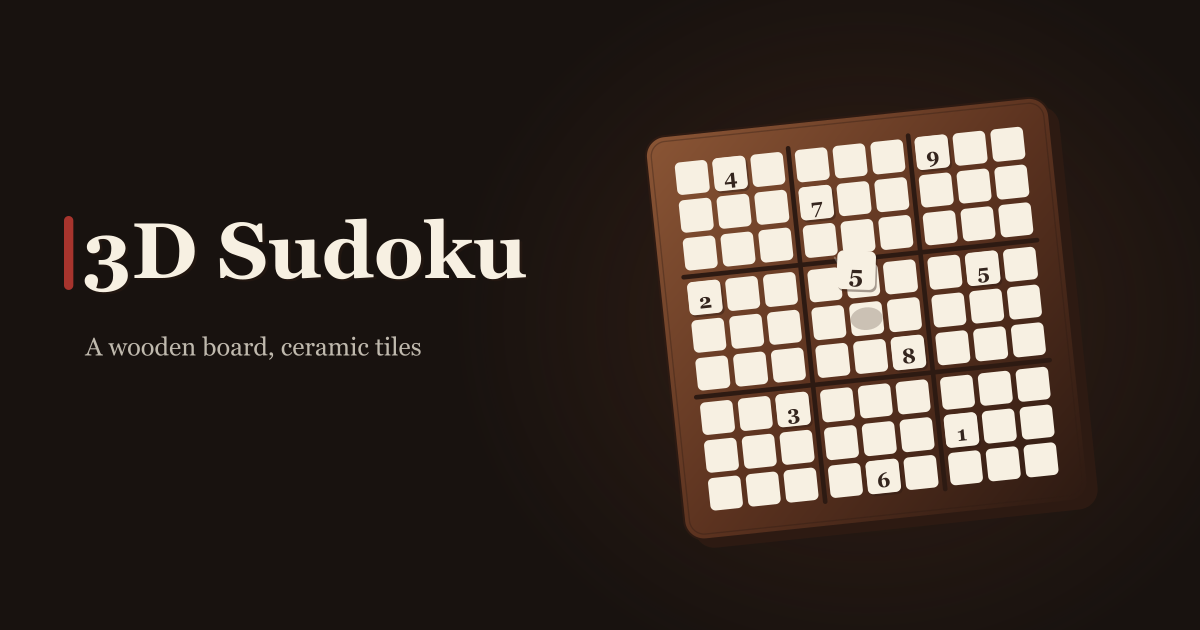
Sudoku 3D treats sudoku as an object on a desk rather than a drawing of a grid. A walnut board sits slightly tilted, and cream ceramic tiles with ink-printed digits rest on it. It is a real 3D scene drawn with WebGL, not a picture of one, so the tiles have thickness and drop into a cell when you set them down.
There are two boards. In 6×6 each row, column and 2×3 box holds 1 through 6 exactly once; in 9×9 each row, column and 3×3 box holds 1 through 9 exactly once. The clue digits set into the board at the start cannot be changed — fill the remaining blanks and you are done. Whichever size you pick, the puzzle has exactly one solution.
Around the board there is exactly as much as you need and no more: notes, erase, undo and redo, answer checking you can switch on or off, a running timer, and a small 3/9 under each number key telling you how many of that digit are already placed. No score, no streak, no leaderboard, and no drawer of past puzzles. It is not a scanner or a solver either: the boards it makes are the boards you play.
Placing a tile: drag, tap or type
- Open the address and the first thing you choose is a board size and a difficulty. Press 6×6 or 9×9, then one of the five levels, and the puzzle is generated on the spot. The brief “Building a new puzzle · Attempt 3” means it is regenerating until it gets a board with exactly one solution.
- There are two ways to place a digit: drag a ceramic tile off the rack below the board and drop it into a cell, or tap the cell first and then press a number key. Both do the same thing, and a finger, a mouse and an Apple Pencil all work. Nowhere does the game require one particular input device.
- When you are not sure yet, turn Notes on. While it is on, a number you press goes into the cell as a small pencilled candidate instead of a committed answer, and pressing it again removes it. Turn Notes off and the next number you press is a real answer again.
- Erase empties the selected cell. Undo and redo walk back and forth along the moves you actually made, so a wrong tile placed a long while ago can still be reached. Clue digits are never erased or overwritten.
- Answer checking lives in Settings. With it on, a digit that breaks a rule turns its cell the conflict colour the moment it lands; with it off, the board says nothing until the grid is full. It starts off.
- A whole game can be played from the keyboard. Arrow keys move the selection (skipping clue cells on their own), 1–9 place a digit, Backspace or Delete erases, M toggles Notes, Ctrl/⌘+Z undoes and ⇧+Ctrl/⌘+Z or Ctrl+Y redoes.
- A screen reader reads the same board. Behind the scene there is one button per cell, each announcing its own position and contents — “Row 3, column 5, blank”, “Row 4, column 1, clue 7” — and placements and conflicts are announced as they happen.
- The top row shows the current difficulty and the running clock, with New Game, Help and Settings beside them. Help carries the rules and the same frequently asked questions, so you do not have to come back to this page mid-game.
6×6 or 9×9, and what the five levels change
6×6 is not a shrunken imitation — it is sudoku with the rules intact, just with 2×3 boxes and the digits 1 to 6. The board closes up quickly, which suits a few spare minutes or somebody meeting sudoku for the first time. 9×9 is the board everyone knows.
Within the size you chose, difficulty runs beginner, easy, medium, hard, expert. Going up a level never makes the board bigger. What changes is how many clue digits are set at the start and what kind of reasoning it takes to finish: each generated board is rated by the techniques that actually crack it — cells with one candidate left, a box where only one square can take a digit, eliminations where a box and a line overlap, eliminations from pairs, and how much searching is left once those run out. So two expert boards are never the same board.
No level is locked. You can pick 9×9 expert the first time you open it; nothing has to be beaten a certain number of times before the next thing unlocks.
Sound, music, haptics and motion
- The sound effects are separate for picking a tile up, setting it down, knocking against another, erasing, undoing and finishing a board. They exist to add weight to the hand, so nothing is lost by playing with them off.
- The background music is three tracks in rotation, with its own volume slider separate from the effects. Turn background music off in Settings and the track files are never downloaded at all — each one is around 3MB, which is why it is built that way.
- Haptics only fire where the device supports them. On a browser that does not, leaving the setting on simply does nothing — it does not error.
- Reduce Motion damps the tile drop and the completion animation. It is there for anyone sensitive to movement on screen.
- Language is in the same panel: 한국어, English, 日本語, Deutsch. The one you pick is still there next time you open it, and it follows you across the other try-dabble.com apps.
Where your game stays
There is no account, no daily limit, no paid tier and no watch-a-video-for-a-hint loop; the timer runs but is not kept and is compared with no one. A puzzle in progress lives only inside the open tab, so closing or reloading takes you back to the difficulty screen, and no move is ever sent anywhere. The one thing the app leaves on the device is the language you chose, so it opens in that language next time.
Sudoku on a phone, without the wall
Trying to play sudoku on a phone usually runs into the same wall: a handful of free boards and then “that’s your lot for today”, the harder levels behind a subscription, a full-screen ad after every finish, and a video to watch for one hint. What you wanted was to quietly fill in a grid.
The 3D board adds one thing to that quiet: weight in the hand. Instead of a flat grid and a number pad there is a wooden slab seen from slightly above and tiles you can pick up. Dragging one down makes a small knock, and completing the grid gives the tiles one last settle. That is the whole of it — and if the sound or the movement is not to your taste, both switch off in Settings.
Add it to the home screen and it opens like an app; after the first visit it keeps working with no connection. Puzzles are not fetched from a server — they are generated on the device — so New Game still produces a new board on the underground or on a plane.
How do the difficulty levels differ — does the board get bigger?
The board size does not change. Pick 6×6 and expert is still 6×6; pick 9×9 and beginner is still 9×9. What the five levels express is how many clue digits you start with and how much reasoning it takes to finish. Beginner and easy fall out by repeatedly spotting the cell with only one candidate left; higher up you have to read overlaps between a box and a line, or eliminate through pairs; and at expert some of the board is still standing after all of that.
Do I need an Apple Pencil or a mouse? Can I play with only the keyboard?
You need none of them. Drag a tile with a finger, or tap the cell and press a number button, or drag with a mouse or an Apple Pencil — all the same. A full game can also be played from the keyboard alone: arrows to move (clue cells are skipped), 1–9 to place, Backspace to erase, M for notes, Ctrl/⌘+Z to undo. Behind the board there is a button per cell, so a screen reader reads out each position and what is in it.
The board does not appear and it says the 3D board could not start
The board is drawn with WebGL. If WebGL is switched off in the browser, or hardware acceleration is unavailable, that notice appears instead. Turning hardware acceleration back on in the browser’s settings, or opening the page in a different browser and pressing Try Again, usually clears it. On a very old device, 6×6 is lighter than 9×9.