Why a fixed number of shots changes how you photograph
With unlimited frames, the camera does the choosing later: you take thirty, scroll, and keep two. With twenty-four, the choosing happens before the shutter. You look at the scene a second longer, wait for the person to stop talking, move a step to lose the bin in the corner. Photographers who grew up on film did this by habit; a counter that only goes down brings the habit back within a roll or two.
Not seeing the result matters just as much. The instant review after a digital shot pulls your eyes to the screen and out of the moment, and it invites a retake, and another. With no review there is nothing to retake, so you take one and return to the dinner. What you get three days later is closer to how you remember the day than to how you inspected it.
Some practical habits follow. Do not spend the roll in the first hour; a day has a shape and the last frames are often the best. Shoot the ordinary things — the table before people sit, the walk back — because those are the ones you never take when you can check them. And accept that a few frames will be wrong. A roll with two blurred shots and twenty-two you would not have taken otherwise is a good roll.
A roll of 24 you cannot look into
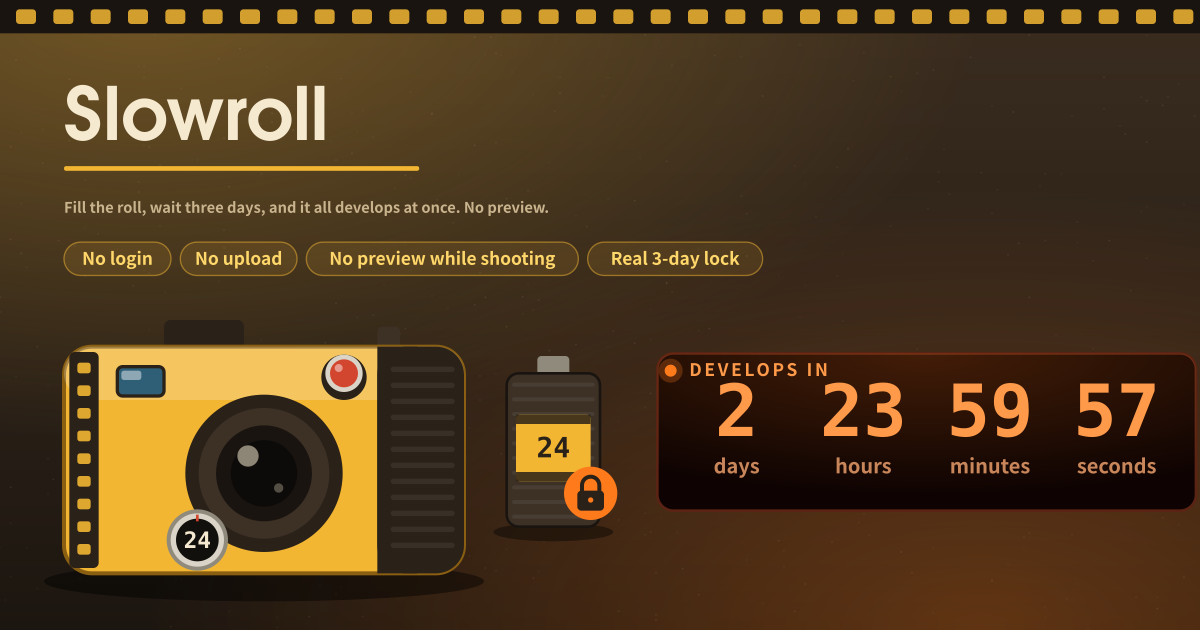
Slowroll is a disposable film camera that runs in the browser. You shoot into a 24-frame roll with the device camera. When the shutter fires, that frame goes into the roll and is shown nowhere: no thumbnail, no last-shot peek. Once the roll is sealed, a real three-day (72-hour) wait runs, and then the whole roll develops and appears at once.
There is no deleting or retaking a single frame. The only thing you can throw away is the whole roll, and only after a confirm dialog. As with real film, you find out what you got when it develops.
The camera body, the darkroom and the shelf
- A yellow plastic camera body with a round film counter showing frames left and a film-advance wheel along the top.
- The viewfinder: a live view for framing before the shutter. It never shows anything after a shot.
- A big red shutter under your thumb. Press it and the curtain blinks, the counter drops by one. That is all the feedback there is.
- When a roll is sealed, the whole screen becomes a darkroom: a big countdown in days, hours, minutes and seconds under a red safelight.
- A developed roll spreads out as warm, grainy prints on light paper. Save each print or all of them at once.
- A roll shelf: past rolls stay listed with their date so you can open and download them again.
Loading a roll, shooting and sealing it
When you load a roll you pick one thing. “Develop when the roll is full” (the default) counts 72 hours from the last frame. “Develop 3 days after the first shot” counts 72 hours from the first frame, and you can keep shooting until the roll is full.
Allow the camera and press the shutter. The counter goes from 24 to 23. Fill the roll, or tap “Finish roll now”, and the roll seals and the countdown starts. Finishing gives up the remaining frames; it never shortens the wait.
You can close the tab. The app keeps the exact moment the roll opens on this device, so when you come back the countdown is still heading for the same moment. A reload cannot bring it forward.
On a device without a camera, a small secondary control lets you add photos from the device into the roll. Those are not previewed either.
A day you want to see all at once, three days later
A day of travel, a dinner with friends, a child’s birthday: any time you want to break the shoot-check-delete habit. Three days later the roll opens and you see the whole day at once.
Where the frames stay
Every frame and every roll stays on this device only; nothing is sent to a server, and there is no account, no login and no sharing. Before a roll develops no image is shown anywhere, and a single frame can never be previewed, undone, retaken or deleted — only the whole roll can be discarded. Clearing site data in the browser removes undeveloped rolls too, so save the prints you want to keep once a roll has opened.
Can I really not see a shot before it develops?
No. After the shutter, the only response is the curtain and the counter. A sealed roll shows only its frame count and the countdown. The single exception is a “Develop early” control, kept secondary, which first opens a confirm dialog explaining that it skips the wait.
Does closing the tab or reloading reset the timer?
No. The app stores the exact moment the roll opens, not a remaining count. Every time you come back it recomputes how long is left until that moment, so closing and reopening neither shortens nor extends the wait.
Can I develop without shooting all 24 frames?
Tap “Finish roll now” to give up the remaining frames and seal the roll. The 72-hour wait is the same. If you chose the mode that counts from the first shot, the countdown starts at your first frame and you can keep shooting meanwhile.