Why revisiting old favourites years later works
A song you play every day for a month stops being a song and becomes a bookmark for that month. The commute, the weather, whoever you were talking to — all of it gets attached to the first bars. That binding is strongest when you stop playing the song while the memory is still fresh. Keep it on repeat for two more years and the bookmark blurs; it now points at a hundred unrelated days.
That is why a deliberate gap works. Put the song away, hear it again in three years, and the original season comes back sharply because nothing has been layered over it. Anyone who has been ambushed by a track in a supermarket knows the effect; the trick is doing it on purpose.
A few rules make it reliable. Seal one song per period, not a whole playlist — the single track is the one that carries the memory. Write down the date, because “sometime in 2024” will not return the feeling; a week will. Choose gaps of three to ten years; one year is too soon to be surprised, and after twenty you may not be listening the same way. When it comes back, listen once, note what returned, and seal it again.
A ticket per song, and the year it returns
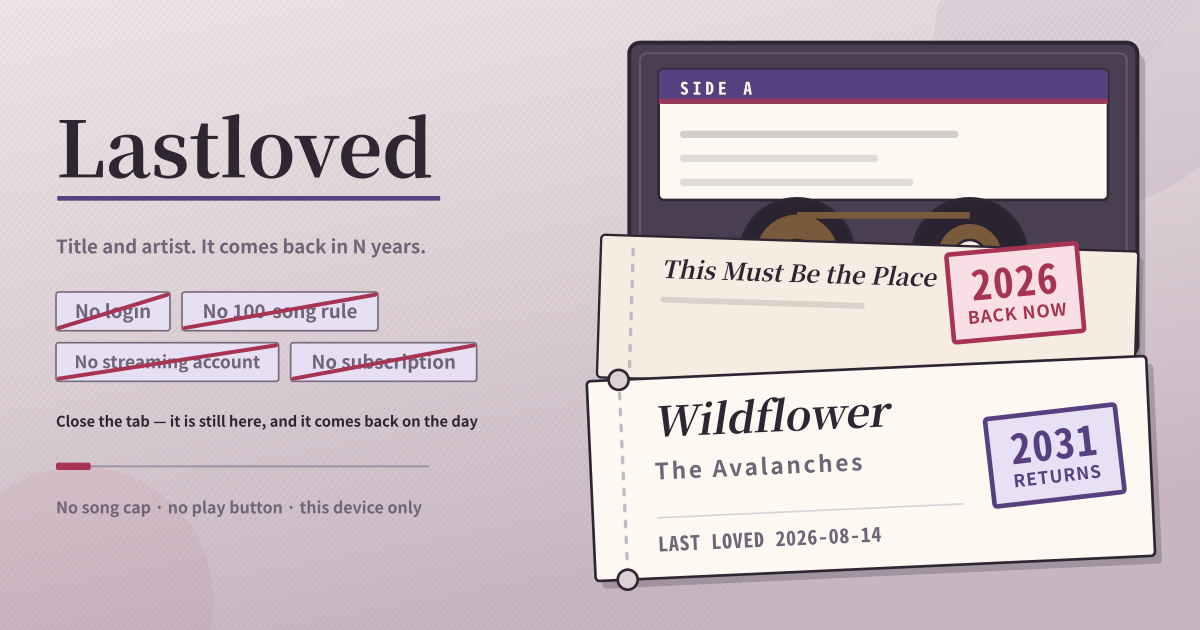
Lastloved never plays anything. You type the title and the artist of a song you love right now, record the day you last loved it, and choose how many years until you meet it again. That is the whole app. When that day arrives, the song moves into the “back now” list and waits for you there.
The list is split in two: songs whose years are up sit at the top in “back now”, and the ones still sealed sit below. Each ticket carries a stamp with the year it returns. When you have heard it again, one tap restarts the count from today.
Filling in a ticket
- Type the song title and the artist. Both are required, and both are enough — no album, no artwork, no link to paste.
- The “date last loved” is already filled in with today. If it is a song you were obsessed with years ago, change it to that date instead.
- Choose how many years until it comes back: tap 1, 2, 3, 5 or 10, or type any number. Your choice becomes the default for the next song.
- When a ticket in “back now” has been played again, tap “heard it again”. The last-loved date jumps to today and it is sealed for the same number of years.
- Tap a ticket to open it and the date and the number of years are editable at any time. Once the shelf fills up, search by title or artist.
- A song you no longer want on the shelf can be removed after a confirmation. Nothing else ever disappears by itself.
The song you play ten times a day
You open it when you are playing one song ten times a day and you know that in a few months you will have moved on. Writing down the title and the artist now means that in three years the song comes back — and this particular season comes back with it.
It also gets opened the day an old favourite surfaces in your head. Put the date you were last obsessed with it, and the ticket stamps how long it has actually been.
Where your data stays
There is no login, no streaming account to connect and no payment screen — open the address and the first song goes in, with none of the 100-song library requirement some store apps impose. Songs, dates and year counts stay on this device only, with no account sync, cloud backup or share link. The trade-off is that switching devices or clearing the browser’s site data clears them too, so keep a separate copy of a list you cannot lose.
Does it play the song?
No. There is no play button, it never handles audio files, and it does not connect to Spotify, Apple Music or anything similar. What lives here is the title, the artist and the date you typed. Getting hold of the recording again is up to you and whatever you normally use.
How many songs can I keep?
There is no limit. It does not stop at ten and it does not ask for money to go further. The wait can be anything from one year to fifty, and every song can have its own.
Does it disappear when I close the tab?
No. It is saved the moment you type it, and it is still there after closing the tab or the browser. There is no Save button either. The N years is when a song comes back, not when it is deleted, so time passing never removes anything.