How to label moving boxes so anything can be found
Most moving-day frustration comes from labels that describe the room instead of the contents. “Kitchen” tells the movers where to drop a box; it does not tell you which of nine kitchen boxes holds the kettle. Give every box a number instead, and keep a list somewhere else that says what each number contains. The number goes on at least two sides and the top, in thick marker, so it can be read on a stack without turning the carton.
Write the contents at the moment of packing, not afterwards. Three or four specific words beat a category: “Lego, glass bowls, desk lamp” will be searchable in a month, “misc” never will. If a box holds something you will need in the first week — chargers, a kettle, bedding, the kids’ favourite toy — mark it as an open-first box and load it into the van last.
A photo of the open box before the tape goes on is the cheapest insurance you can buy. It settles arguments about what was packed, and it shows the fragile item you forgot to list. Keep the master list with you, not inside a box, and do not rely on the sticker alone: stickers peel in a damp storage unit, numbers written in marker do not.
A box, its photos, and a number
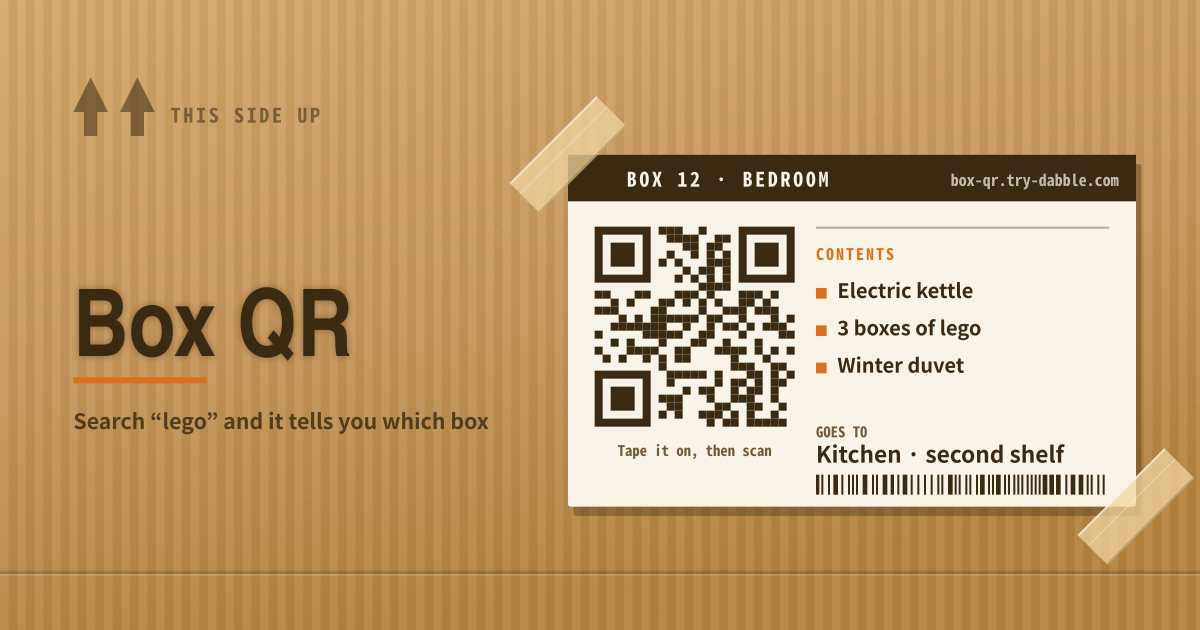
Box QR is for “which box has the Lego?” Add a box, drop in photos, write a short contents list. You get a QR (and a number) to tape on the carton. Later, search opens that box. Boxes (iOS) gates extra boxes and photos behind a lifetime purchase or subscription; Box QR has no account and no cap.
- Optional label/room: Kitchen, desk, etc.
- Contents: one item per line. Search reads this text. Example: Lego, glass bowls.
- Photos: no cap. They stay on this device.
Printing the sticker and searching later
Saving a box assigns a number (BOX 01). Show QR to print a sticker, or copy the encoded URL. Opening that URL on this device opens that box.
Type “Lego” or “glass” in search to keep only boxes whose contents match. Change language or hard-refresh — the boxes stay on this device. Use export/import JSON to move devices.
Packing day and the storage unit
People open it while packing, when they know they will hunt for something later. In the storage unit they read the number or scan the QR and check the photos.
Where your data stays
Photos, lists, and numbers stay on this device only; there is no server backup, account sync, or cloud copy. To change devices, export and import JSON. On a shared device, clear site data when you are done.
Do I need to print the QR code?
No. The number alone is enough: write BOX 01 on the carton in marker and search that number in the app. The QR is only a convenience when you have many boxes and want the phone camera to open one directly.
If I scan the QR on another phone, will the box open?
The box exists only in the browser that logged it. The QR encodes this site’s URL plus the box id. On another phone, import JSON or open the original browser.
Is there a box or photo cap?
No. There is no cap on boxes or photos and no account. The only limit is this device’s storage, so if you take a great many photos, export JSON now and then.