When your taste is nobody else’s business
Was last night’s movie four stars or four and a half? Is the ramen place from last month worth going back to? That is all you want to write down, yet most apps want a profile, followers and a feed of other people’s reviews. Every score starts to feel like a post.
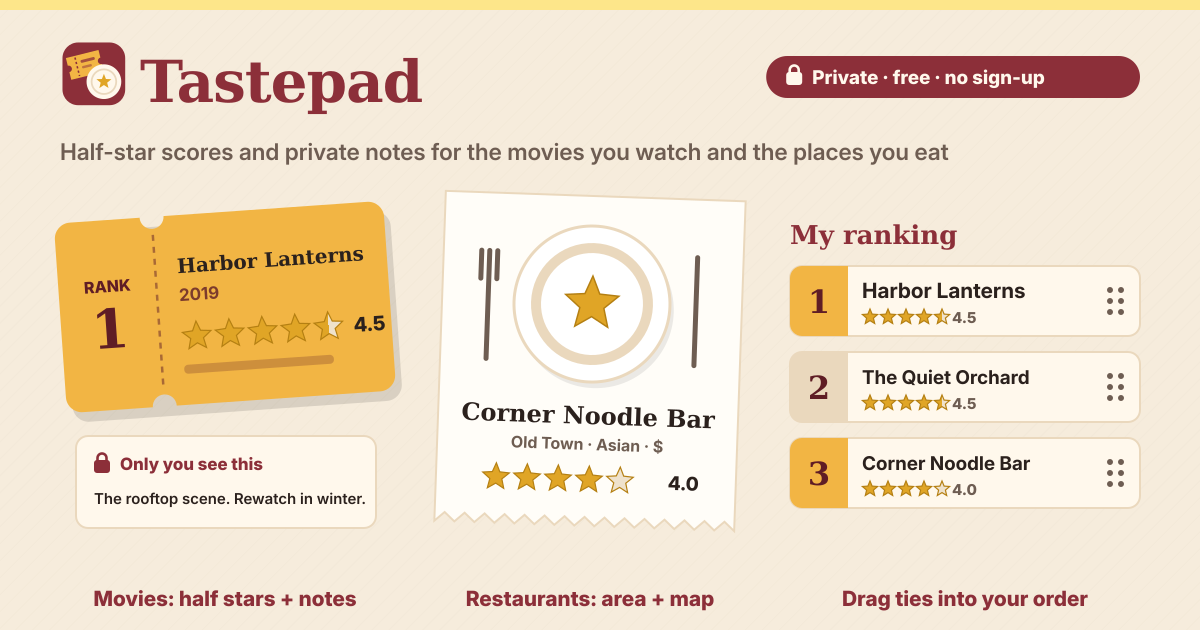
Tastepad is a private diary to rate and rank movies and restaurants for yourself. It opens in a browser and needs no sign-up. There is no account, no profile, no followers, no feed and no sharing, so nobody else can see it. The interface is in Korean, English, Japanese and German, and your entries are saved in this browser on this device only.
1. Add a movie
- On the Movies tab, tap Add movie and type a title. After two letters it looks the title up in open data anyone may use freely (Wikidata) and shows matches; tap one to fill in the title and year.
- If the movie is not found, or you are offline, that is fine: keep the title as you typed it. A title is all you need to save.
2. Add a restaurant
- On the Restaurants tab, tap Add restaurant and type the name. The area or city, the kind of food (pick one or use your own words), the price and an address are all optional.
- Open in map is just a link that opens a map site with the restaurant’s name and area. It opens only when you tap it, and only then do the name and area go to that map site.
3. Half stars, a private note and dates
- Tap the left half of a star for a half (say 3.5) and the right half for a whole star (say 4). To remove a score, tap Clear score.
- Write anything in the Private note: nobody else sees it. Add tags (say, date night) to find things later.
- Keep the Dates watched or Dates visited, and when you watch it again or go back, tap Add a date. The list shows the last date and how many times.
4. The want-to list and one tap when it’s done
- Save a movie you have not seen as Want to watch, and a place you have not been to as Want to try. Under Show you switch between All, Watched or Been there, and Want to watch or Want to try.
- Once you have seen it or been there, tap Watched it or Been there. Today’s date goes in and it asks How was it? for stars. Rate it now, or tap Skip and rate it later.
5. My ranking
- Tap My ranking and your movies or restaurants line up from No. 1, highest score first. You do not build it by hand: it comes from your scores.
- For entries with the same score, you set the order yourself: drag the handle, or use the up and down arrows. The order you set is remembered.
- Want-to entries are not ranked, and entries without a score yet wait below the ranking.
6. Search, filter and order
- Type a title, a word from a note, a tag or an area into the search box to find it right away.
- Under Filters and order, filter by score (say, 4 or more), year, area or tag, and use Show for watched or want-to. Order by score, most recent date, title A–Z or newest added.
7. When you are about to add something twice
- If the movie or restaurant is already there, it tells you “You already have: …” and you choose Add anyway, Open existing or Cancel.
- For movies picked from the title search, it even recognizes the same movie typed in another language.
8. Backup file and spreadsheet file
- In Backup and spreadsheet, tap Save backup file to keep everything in one backup file. Restore from backup brings it back in this or another browser. It first shows what is new, and restoring never adds the same entry twice.
- Movies (CSV), Restaurants (CSV) and Everything (CSV) save a file your spreadsheet opens (CSV), saved so letters don’t break in Excel or Google Sheets, so there is nothing to set.
- Delete everything asks first and offers Save a backup first. New and curious how it looks? Tap Show an example on an empty list.
Where are my entries stored? Can anyone else see them?
In this browser on this device only, and nobody else can see them. There is no account, no profile, no followers, no feed and no sharing, and no server your scores or notes are sent to. Only when you look up a movie title does the title you typed go to Wikidata.
What happens if I clear my browser data?
Clearing the site data deletes your entries too, and there is no way to bring them back. Tap Save backup file now and then and keep the backup file. It is also how you move your diary to another device.
Does it work offline?
Yes. After the first visit it opens without a connection, and adding, scoring, notes, ranking and backups all work. Only the movie title search needs the internet; without it, just type the title yourself. Add to Home Screen in your browser menu keeps it like an app.
Is it free? Where do I send feedback?
All of it is free. There is no sign-up, nothing is locked (not the number of entries, the ranking, backups or spreadsheet files) and there are no ads on the tool. Send feedback with the Guide & Feedback button.