Why passport, visa and exam photos get rejected
Most rejected photos are not bad photos. They are photos taken for one purpose and reused for another. A selfie that looks fine on a phone fails a passport check because the reviewer, human or software, is measuring things the eye ignores: the shade of the background, how many millimetres the head occupies, whether the eyes sit on the expected line, and whether the file itself fits the numbers the form printed. Knowing which check failed saves a second trip or a second fee, so here are the reasons that come up again and again.
- Background. The rule is usually plain white or light grey with no pattern, gradient or shadow. A cream wall, a door frame behind one shoulder, or a soft shadow cast by a ceiling light is enough. Software cut-outs are a second trap: a pale halo around the hair or a hard edge at the collar reads as tampering, and many offices reject any photo whose background was replaced.
- Head size and position. Offices state the face height as a range, not a suggestion. The US wants the head to fill 25–35 mm (1 to 1⅜ inches) of a 51 mm (2 inch) square; the Korean passport wants the face 32–36 mm tall on a 45 mm photo; ICAO-style rules used across the Schengen area ask for 70–80 percent of the frame. A photo cropped from waist up leaves the head too small; a tight phone selfie makes it too large and cuts the crown. The head should be centred with the eyes roughly between the upper third and the middle of the frame.
- Expression, glasses and glare. A neutral expression with the mouth closed and both eyes open is the safe default; a broad smile is rejected by many systems. The US has not allowed glasses at all since 2016. Where glasses are allowed, tinted lenses, thick frames covering the eyes, and reflections from a window or flash are rejection grounds on their own. Hats and head coverings are refused unless worn for religious reasons, and even then the full face must be visible.
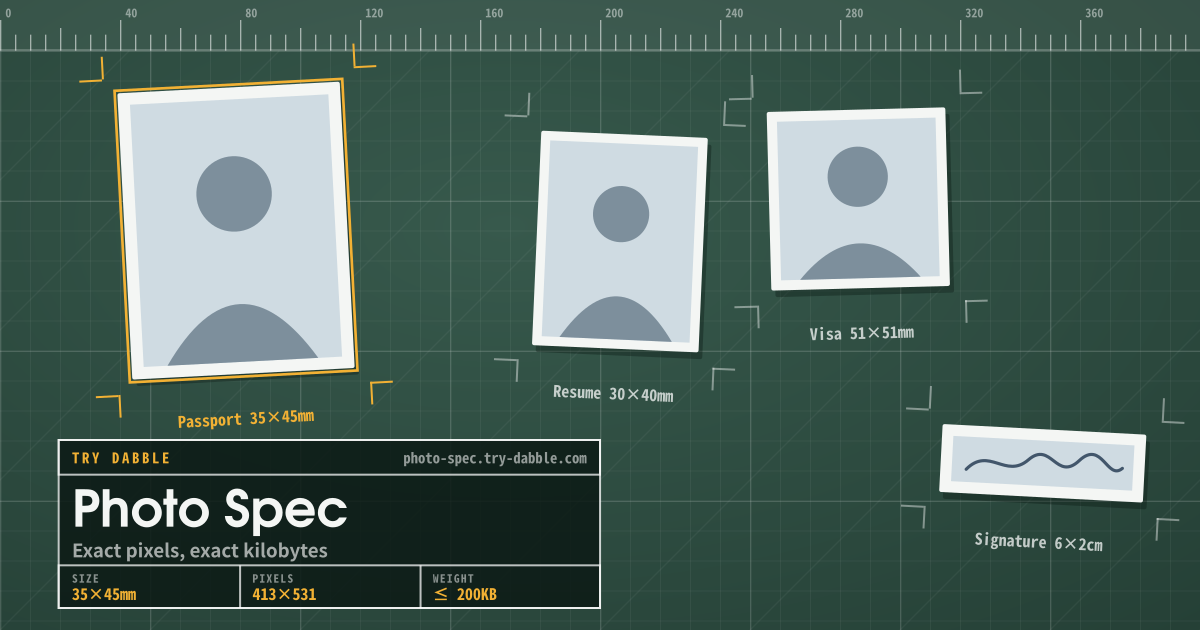
- Pixel dimensions too small. Online forms check the image width and height before anything else. A face cropped out of a group photo may end up 380×490 px, below the 600×600 px the US form wants, and upscaling does not add detail; it only makes the softness obvious. Print rules translate to pixels through the printer: a 35×45 mm photo at 300 dpi is 413×531 px, at 600 dpi it is 827×1063 px.
- File size outside the window. Exam portals in particular give a band, for example 20–50 KB, and reject on both sides of it. A phone camera JPEG is 2–5 MB; a signature drawn on a white canvas can be 4 KB. Neither is acceptable to a form that wants 20–50 KB, even when the pixels are exact.
- Compression artefacts. A photo squeezed into a tiny file at very low JPEG quality shows 8×8 blocks in the hair and ringing around the jawline. Reviewers call this “pixelated” or “poor quality”, and automated checks that measure sharpness fail it.
- Editing and filters. Skin smoothing, teeth whitening, eye enlargement and the beauty mode on many phones alter the face measurements the photo is meant to record. Offices ask for an unretouched photo; if a filter can be seen, the photo is out.
Typical specifications by use
These are the sizes most people are trying to hit. Print sizes are in millimetres or inches; online uploads are in pixels and kilobytes. Issuing offices change their pages without notice, so treat this list as a starting point and confirm the current numbers on the office or exam portal before you submit.
- US passport and US visa (DS-160): print 2×2 inches (51×51 mm), head 1 to 1⅜ inches tall, white or off-white background, taken within the last six months, no glasses. Digital upload: square, at least 600×600 px and at most 1200×1200 px, JPEG, typically 240 KB or less, in colour.
- Korean passport: 35×45 mm, face 32–36 mm from chin to top of head, white background, no shadow, taken within six months. Most photo studios and application counters also accept a digital 413×531 px file at 300 dpi.
- Schengen visa and most EU national IDs: 35×45 mm, face height 70–80 percent of the photo (about 32–36 mm), light plain background (light grey is the safest), neutral expression, taken within six months. The same 35×45 mm format is used by the UK, Japan and many other countries, sometimes with a different face-height range.
- Indian online exam applications (SSC, UPSC, banking and railway recruitment portals): photo 200×230 px, JPEG, 20–50 KB; signature 140×60 px, JPEG, 10–20 KB, signed in black ink on white paper. Some portals ask for a slightly different band such as 3.5×4.5 cm at 20–50 KB, or a photo with the date and name printed below it, so read the notice for the specific exam.
- Korean resume photo: 3×4 cm, which is 300×400 px at the 254 dpi most online job sites assume; 3.5×4.5 cm (413×531 px) is a common alternative. Employers expect a plain light background and business dress; file limits are usually generous (100 KB to 1 MB) but the aspect ratio is checked.
- Chinese visa (online application): 33×48 mm, typically 354×472 px at 120 KB or less, white background, ears visible. This one changes often; the consulate page is the only reliable source.
Shooting a passable photo with a phone
A studio is not required. What the studio gives you is even light, a plain background and the right distance, and all three are reproducible at home in ten minutes.
- Background: stand about half a metre (arm’s length) in front of a plain white or light grey wall. The gap keeps your own shadow off the wall. A bedsheet works if it is pulled tight; folds show up as grey lines.
- Light: face a window in daytime with the curtains open and the room lights off. Daylight from the front gives an even skin tone; a ceiling light from above puts shadows under the eyes and nose, and a flash creates glare on the forehead and a hard shadow behind the head.
- Camera height and distance: the lens at eye level, 1.2–1.5 m (4–5 ft) away, using the rear camera and the 2× setting if the phone has one. Wide-angle lenses at arm’s length make the nose larger and the ears smaller, which changes the face measurement the office is checking. Have someone else press the shutter or use the timer.
- Framing: shoot looser than the final crop, with the head roughly one third of the frame height and empty space above the hair and below the collar. Cropping to the exact ratio comes later; you cannot add missing shoulders afterward.
- Settings: turn off beauty mode, portrait mode and HDR. Portrait mode blurs the background artificially and often smears hair edges; beauty mode retouches skin; HDR can make the background uneven. Shoot at the highest resolution and keep the original.
- Pose: look straight into the lens, chin level, hair off the face, mouth closed, glasses off if the office does not allow them. Take ten frames and pick the one with both eyes fully open.
Right pixels, wrong KB: what quality and downscaling actually change
The pixel count and the file size are two different knobs, and gallery apps only expose the first. A JPEG file’s size depends on how many pixels it holds, how much detail is in them, and the quality setting the encoder used. A 600×600 px portrait is 360,000 pixels; stored raw that is about 1 MB, and JPEG shrinks it by throwing away detail the eye is bad at noticing. At quality 95 the same portrait is usually 250–350 KB, at quality 80 around 100–150 KB, at quality 60 about 60–80 KB. So a file that is already the right 600×600 px can be anywhere between 40 KB and 400 KB depending on the quality the last program saved it at.
Downscaling attacks the first factor. Going from 1200×1200 to 600×600 removes three quarters of the pixels, and at the same quality the file drops to roughly a quarter of its size. This is the right tool when the picture is far too big: a 4000×3000 phone photo is 12 million pixels, and no quality setting brings that under 50 KB without visible damage. Lowering quality attacks the third factor. Between 95 and 75 the file typically halves with no visible change at ID size; between 75 and 50 it halves again and fine hair starts to look slightly soft; below about 40 the blocks appear. The practical order is therefore: first crop and downscale to the exact pixels, then lower quality only as far as the KB limit requires.
Two things throw people off. First, a phone JPEG carries metadata: camera model, GPS, and an embedded preview thumbnail that can be 30–60 KB on its own. Re-saving the picture through a canvas drops that block, which is why a 200×230 px file that was 85 KB can become 28 KB with no change to the picture. Second, minimum sizes exist too. A signature drawn on a pure white canvas at 140×60 px has almost nothing for the encoder to keep and may come out at 3–4 KB, under a 10 KB minimum. Photographing the signature on paper (the paper grain adds real detail) and saving at high quality gets it over the line honestly; a tool can also pad the file’s tail to the minimum, which viewers ignore but the size check counts. Worked example for the 20–50 KB Indian exam band: a 200×230 px portrait typically lands at 30–40 KB at quality 85–90, so aim there rather than at the bottom of the band, because a file at 21 KB is one re-save away from failing.
Fitting a photo with Photo Spec
Photo Spec does the last step: it takes any photo or signature and returns a file with exactly the pixels and the kilobytes a form asks for. Pick a preset (Indian exam photo 200×230 at 20–50 KB, exam signature 140×60 at 10–20 KB, passport and visa 2×2 at 600×600 and 50–200 KB, Korean resume 3×4 at 300×400 and 30–100 KB) or type your own width, height, minimum and maximum KB and JPEG or PNG, then add the image from a file, the camera, drag and drop, or Ctrl+V.
- The crop is a centred cover-crop to the target ratio; drag the preview to move the head into position and check the face height against the rules above.
- JPEG quality is searched automatically until the file lands inside the KB window. If the lowest quality is still too large, the image is downscaled slightly; if the highest quality is still under the minimum, the file is padded up to it.
- The preview shows the real width×height and KB; green means the file is in range, red means it is not.
- The download name records the result, for example photo-200x230-32kb.jpg, so the file that was checked is the file you upload.
- An optional notes panel holds name, date of birth, phone, email, address, parents’ names and an ID note with a Copy button on each field, for pasting into long application forms.
Where the photo and your notes stay
Cropping and encoding run on a canvas in this browser on this device; the photo is never uploaded and there is no account. The tool does not open, fill or submit any government or exam site: you download a file and copy text, nothing more. On a shared or public computer, clear the site data when you are done so the notes and the last photo do not remain for the next person.
Why was my photo rejected for the background when the wall was white?
Usually because of what the camera saw rather than the paint. A shadow behind the head from a flash or ceiling light, a slight warm tint from indoor bulbs, or a gradient from a window on one side all count as a non-uniform background. Stand half a metre from the wall, light the face from the front with daylight, and check the corners of the photo: all four should be the same shade.
Can I use a phone photo for a passport or visa?
Yes, for most countries and for online exam and job applications, as long as the photo meets the same rules as a studio photo: plain background, even light, correct head size, neutral expression, no filter, taken within the last six months, and at the pixel size the form requires. Shoot with the rear camera at 1.2–1.5 m, crop to the exact ratio, and save at a quality that stays under the KB limit. Some countries require a studio photo with a stamp or a photographer’s certification for the printed application; confirm that on the issuing office’s page.
Why is the file over the KB limit when the pixels are right?
Because pixel dimensions set only the upper bound; the JPEG quality setting and any embedded metadata decide the actual size. A 600×600 px photo saved at quality 95 can be 300 KB, at quality 75 under 100 KB, and a phone can add a 50 KB preview thumbnail on top. Re-save the picture at a lower quality, which also strips the metadata, and go down only as far as the limit requires so the face stays sharp.