How it works
Blurt reads your text in a character voice and turns the sound into a short video you send to friends. There is no account and no sign-up. The app opens on the writing screen, and the finished video goes out through the iPhone share sheet to any messenger.
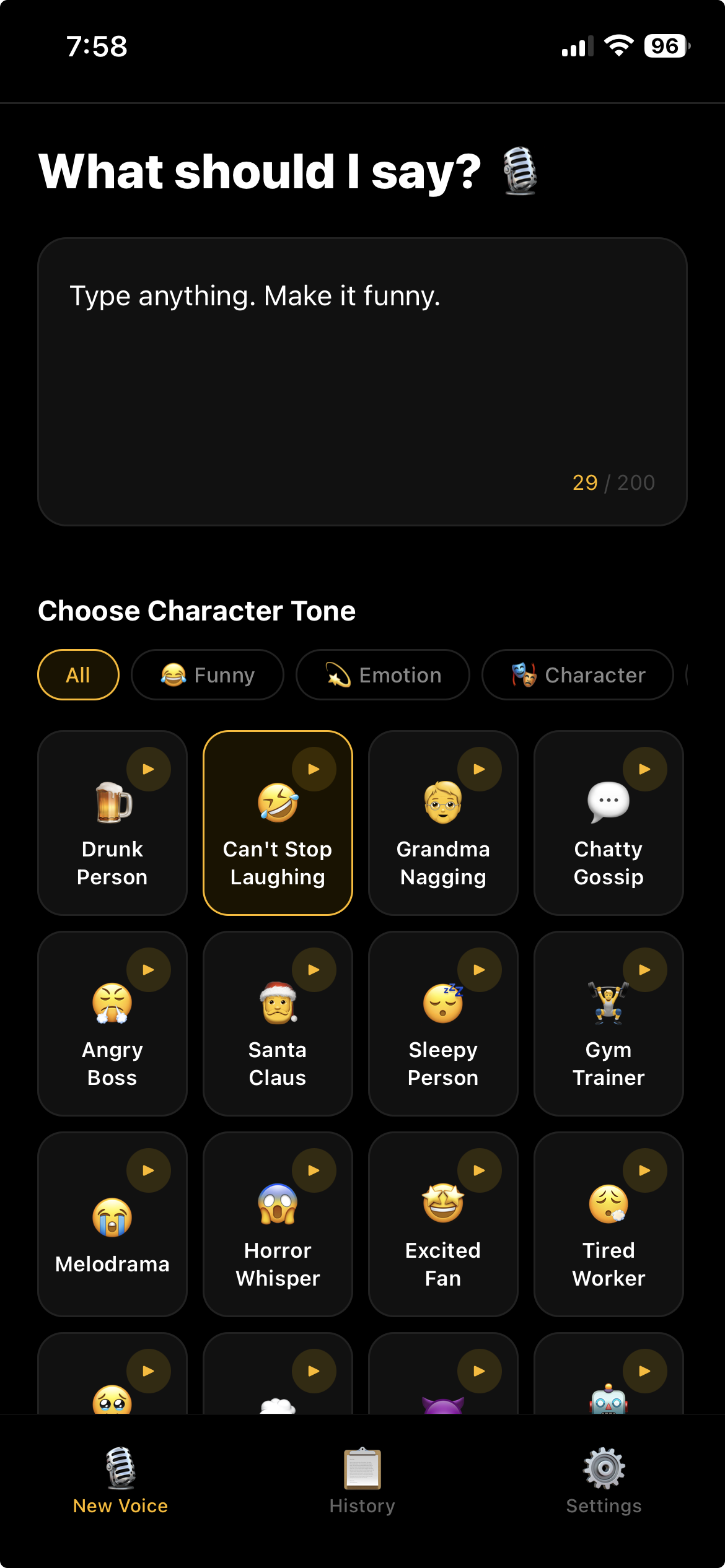
- Type into the box on the first screen. Up to 200 characters, with a live counter underneath.
- Pick a preset from the grid below. The ▶ on each card plays a sample of that voice right away; the samples ship inside the app, so they play without a connection.
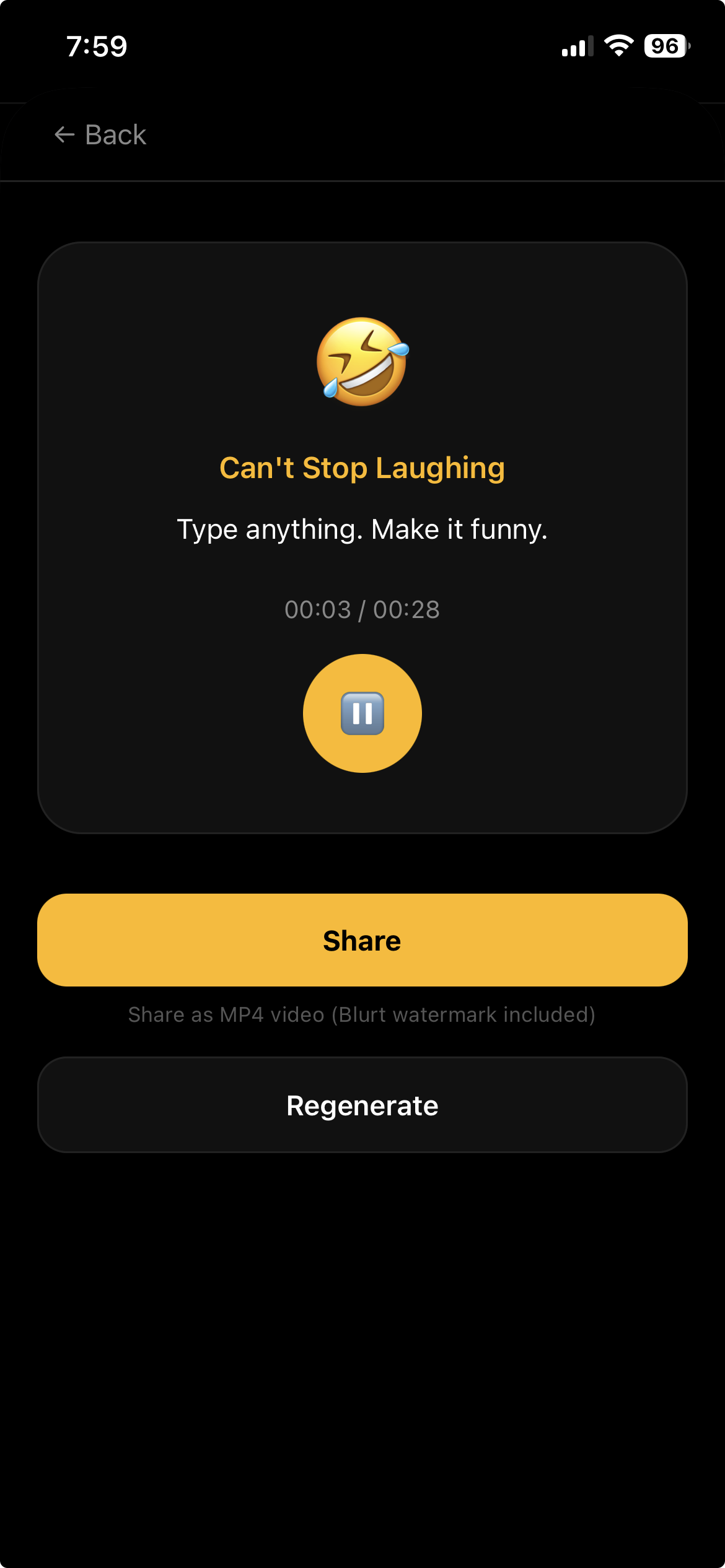
- Tap “Create”. The result screen opens, the voice is generated and plays on its own. Tap “Share” if you like it, or “Regenerate” for another take.
- “Share” turns the sound into a square video and opens the share sheet. Send it to KakaoTalk, LINE, iMessage or anywhere else, and it plays right inside the chat.
- Everything you make lands in the History tab, newest first. You can play and share from there, and swipe left to delete.
24 presets
There are 24 presets in four groups. Funny, 8: Drunk Person, Can’t Stop Laughing, Grandma Nagging, Chatty Gossip, Angry Boss, Santa Claus, Sleepy Person, Gym Trainer. Emotion, 6: Melodrama, Horror Whisper, Excited Fan, Tired Worker, Overly Emotional, Monologue. Character, 6: Villain, Broken Robot, Secret Agent, Town PA, Drill Sergeant, MC/Host. Special, 4: Singing, ASMR, Rap Style, Movie Trailer.
A preset is one of five base voices with a speaking-style wrapper. When you submit text, an AI first slots one to three tags such as [laugh] or [sigh] between your words; it never adds, removes or translates a word, it only places tags. That is why regenerating the same text with the same preset gives a slightly different take each time.
What gets made
- The voice is saved on the device as a 44.1 kHz, 128 kbps MP3.
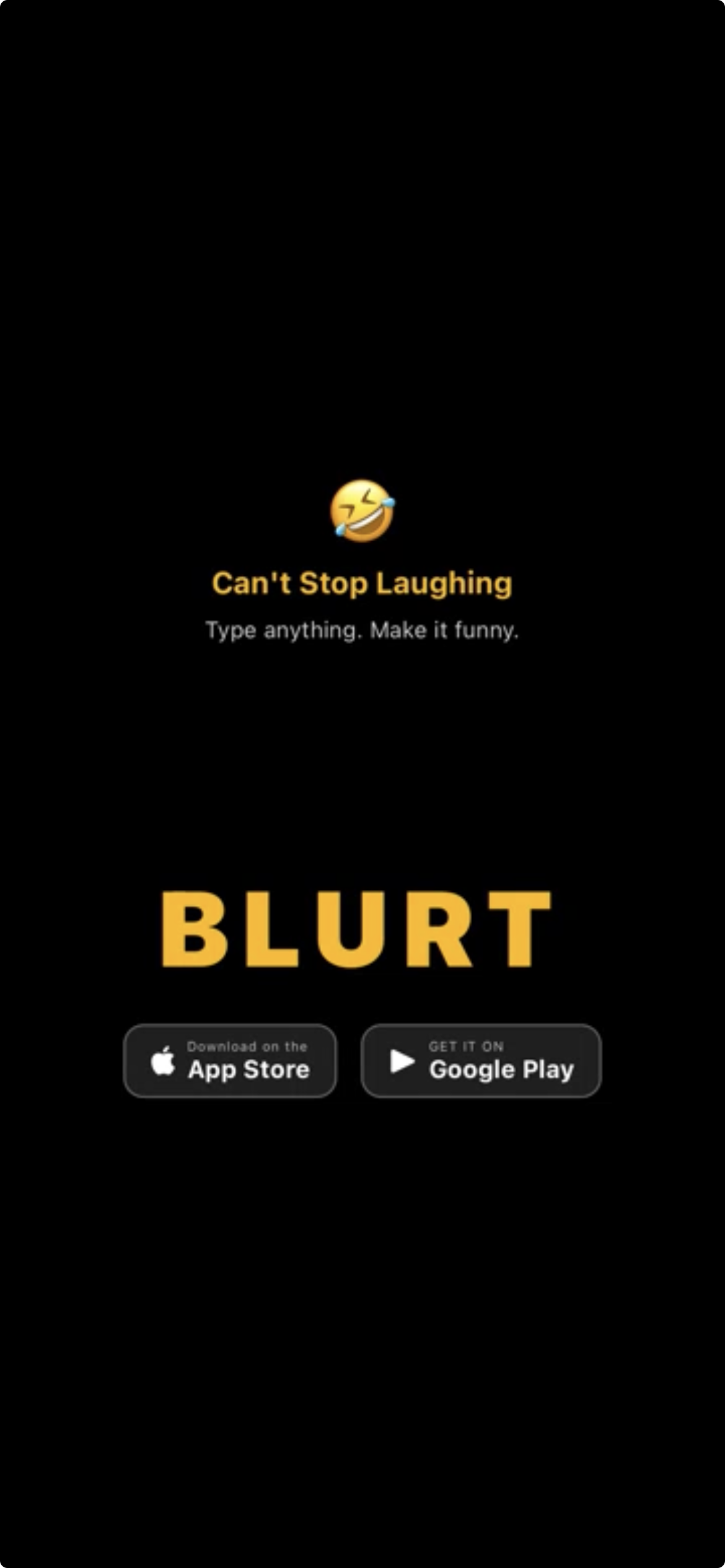
- The shared video is a 360×360 square MP4: black background, the preset’s emoji and name, the first three lines of your text, a yellow waveform that moves with the sound, and a BLURT watermark. It runs one second longer than the voice.
- There is no paid option to remove the watermark. The video is a file that stays on the recipient’s device, not a link that expires.
- It sends a video file rather than a link because KakaoTalk, LINE and iMessage do not preview audio links. A file plays inline in all three.
Free, with ads
Blurt is entirely free and has no in-app purchases. There is no fixed cap on how many voices you make, but past 10 per minute or 60 per hour on one device you are asked to wait a moment. Ads cover the cost: a banner sits at the top of the first screen, and every third creation shows one full-screen ad. If that ad has not loaded yet, a “Loading ad” notice asks you to try again shortly.
Data and privacy
With no account, the app never asks for a name or email. On first launch it generates one random identifier, keeps it in the iOS keychain, and the server uses it only to count requests. It is not the advertising identifier or a hardware number.
What leaves the device is the text you type. It goes through Try Dabble’s server to xAI’s language model to place the tags, and to xAI’s speech API to make the voice. The audio and video it produces stay on the device and are never uploaded to Try Dabble. History keeps up to 100 items, then removes the oldest along with their files. To wipe something, swipe it away in History or delete the app’s data.
Ads are served by Google AdMob, and the first launch asks for iOS tracking permission. There is no analytics SDK. The camera and microphone are not used.
How do I hear the same text in a different voice?
“Regenerate” on the result screen keeps the same preset. To change the voice, go back, pick another preset and create again; your text stays in place. There is no remake button inside History.
What works offline?
Playing, sharing and deleting voices you already made, and previewing preset samples, all work. Creating a new one needs the server, so the “Create” button reads “Offline” and stays disabled.
Which languages does it speak?
Korean, English and Japanese. The language in Settings is both the UI language and the spoken language, so to hear Japanese, choose Japanese there and write in Japanese. If the device language is not one of the three, the app starts in Korean. All 24 presets carry names and samples in the three languages.
Does it imitate celebrities?
No. The presets are generic character tones like “Angry Boss” or “Sleepy Person”. There is no cloning of a specific person’s voice and no way to upload your own voice.
Why does the voice sometimes stray from my text?
On presets whose style tags nest two deep, the speech engine occasionally reads a tag name out loud. The result screen shows a notice on those presets. Rewording the sentence and regenerating usually fixes it.
Which devices does it run on?
It is an iPhone app on the App Store. There is no iPad layout; it runs in portrait with a dark theme only.